Share feedback directly with Fabric product managers, participate in targeted research studies and influence the Fabric roadmap.
Sign up nowGet Fabric certified for FREE! Don't miss your chance! Learn more
Hi all,
In matrix how to make the values also have alternate row color ?
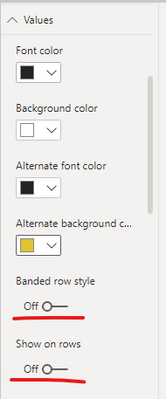
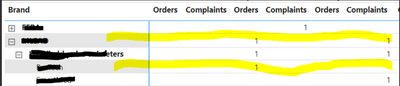
When I put alternate row is Setting - Values, it is applied in Row Header instead ->
Which actually the opposite, I want to the Values portion, but if can't then both is ok.
Thanks
Solved! Go to Solution.
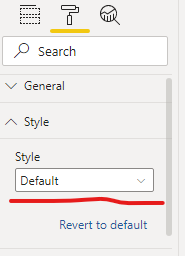
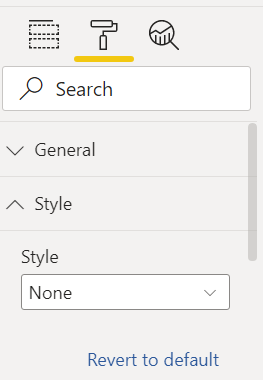
On visual format select style> Alternating riws
Proud to be a Super User!
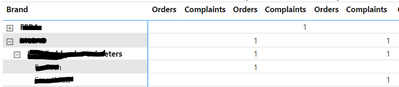
Basically like this ->
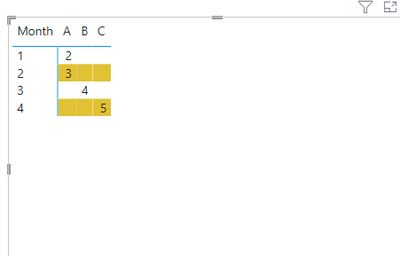
What I mean by values is the center part. I have set like this ->
But strange is, this is effect the Row header instead (while the setting is on Values node)
For matrix design, I have other post which may need some help :
https://community.powerbi.com/t5/Desktop/Good-blog-about-matrix-or-table-visual/m-p/2213095#M808659
Thanks,
If you love stickers, then you will definitely want to check out our Community Sticker Challenge!
Check out the January 2026 Power BI update to learn about new features.
| User | Count |
|---|---|
| 64 | |
| 63 | |
| 49 | |
| 21 | |
| 18 |
| User | Count |
|---|---|
| 121 | |
| 118 | |
| 38 | |
| 36 | |
| 29 |