Join us at FabCon Atlanta from March 16 - 20, 2026, for the ultimate Fabric, Power BI, AI and SQL community-led event. Save $200 with code FABCOMM.
Register now!The Power BI Data Visualization World Championships is back! Get ahead of the game and start preparing now! Learn more
Hi all,
In matrix how to make the values also have alternate row color ?
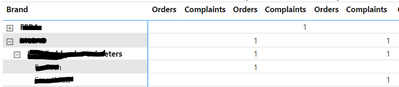
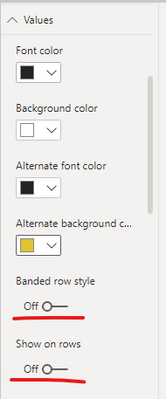
When I put alternate row is Setting - Values, it is applied in Row Header instead ->
Which actually the opposite, I want to the Values portion, but if can't then both is ok.
Thanks
Solved! Go to Solution.
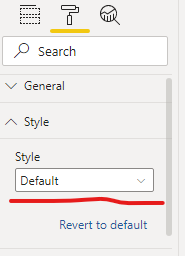
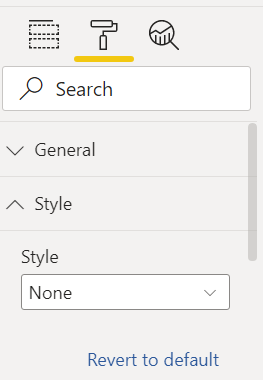
On visual format select style> Alternating riws
Proud to be a Super User!
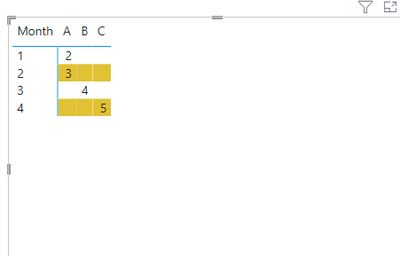
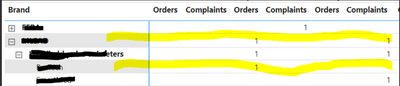
Basically like this ->
What I mean by values is the center part. I have set like this ->
But strange is, this is effect the Row header instead (while the setting is on Values node)
For matrix design, I have other post which may need some help :
https://community.powerbi.com/t5/Desktop/Good-blog-about-matrix-or-table-visual/m-p/2213095#M808659
Thanks,
The Power BI Data Visualization World Championships is back! Get ahead of the game and start preparing now!
| User | Count |
|---|---|
| 41 | |
| 37 | |
| 35 | |
| 35 | |
| 28 |
| User | Count |
|---|---|
| 134 | |
| 101 | |
| 71 | |
| 67 | |
| 65 |