Hi @Anonymous ,
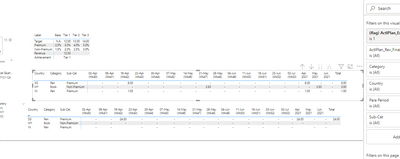
I've tried my best regarding this, the relationships and fields in it are too complicated for me.I used the following measure and it worked out a value, but the other lines always returned null, I checked for a long time and couldn't find out where the reason was.I am very sorry.We hope the following measures will provide you with inspiration.
ActlPlan_Rev_Final2 (format) =
VAR formatActl =
    IF (
        ISBLANK ( _Measures[ActlPlan_Rev_Range] ),
        "-",
        _Measures[ActlPlan_Rev_Range]
    )
VAR selectedWk =
    AVERAGE ( _ParaPeriod[Reporting Week (YYYYWW)] )
VAR selectedMth =
    SELECTEDVALUE ( _ParaPeriod[Fiscal Month Index] )
VAR week =
    IF (
        selectedWk >= _Measures[Min_WkInSelectedQtr (ActlPlan)]
            && selectedWk <= [Max_WkInSelectedQtr (ActlPlan)],
        formatActl,
        BLANK ()
    )
VAR month =
    IF (
        selectedMth >= _Measures[Min_MthInSelectedQtr (ActlPlan)]
            && selectedMth <= [Max_MthInSelectedQtr (ActlPlan)],
        formatActl,
        BLANK ()
    )
VAR category =
    SELECTEDVALUE ( _ParaPeriod[Category] )
VAR target =
    IF ( ISBLANK ( [Target] ) || [Target] = 0, "N.A.", [Target] )
VAR prem =
    FORMAT ( IF ( ISBLANK ( [Incentive_Prem %] ), 0, [Incentive_Prem %] ), "0.0%" )
VAR nonprem =
    FORMAT (
        IF ( ISBLANK ( [Incentive_NonPrem %] ), 0, [Incentive_NonPrem %] ),
        "0.0%"
    )
VAR testqqq =
    CALCULATE (
        IF (
            ISBLANK ( [Incentive_Prem %] ),
            [Incentive_Prem %] * 100,
            [Incentive_Prem %] * 100
        ),
        FILTER ( ALL ( 'Dim_Tier' ), Dim_Tier[Index] = 2 )
    )
VAR testrrr =
    CALCULATE (
        IF (
            ISBLANK ( [Incentive_NonPrem %] ),
            [Incentive_NonPrem %] * 100,
            [Incentive_NonPrem %] * 100
        ),
        FILTER ( 'Dim_Tier', Dim_Tier[Index] = 2 )
    )
VAR test1 =
    SWITCH (
        SELECTEDVALUE ( _Label[Label] ),
        "Target", target,
        "Premium", prem,
        "Non-Premium", nonprem,
        "Revenue", [Curr_PlannedRev_ActlPlan],
        "Achievement", [Curr_PlannedTierAch_ActlPlan]
    )
VAR test2 =
    IF (
        ISFILTERED ( _ParaPeriod[Para Period] ),
        SWITCH ( category, "Week", week, "Month", month, "Total", formatActl ),
        _Measures[ActlPlan_Rev_Range]
    )
VAR test33 =
    SWITCH (
        SELECTEDVALUE ( Fact_Actual[Sub-Cat] ),
        "Premium", test2 * testqqq,
        "Non-Premium", test2 * testrrr,
        TEST2
    )
VAR test34 =
    IF ( TEST2 <> "-", test33, "-" )
RETURN
    test34
Best Regards
Lucien


