
Get certified for free when you join Fabric Data Days 2026 and dive into Fabric, Power BI, SQL, AI, and other essential data skills.
Join nowTry your skills in the Power BI Dataviz World Championship! Round one ends June 26. Join now
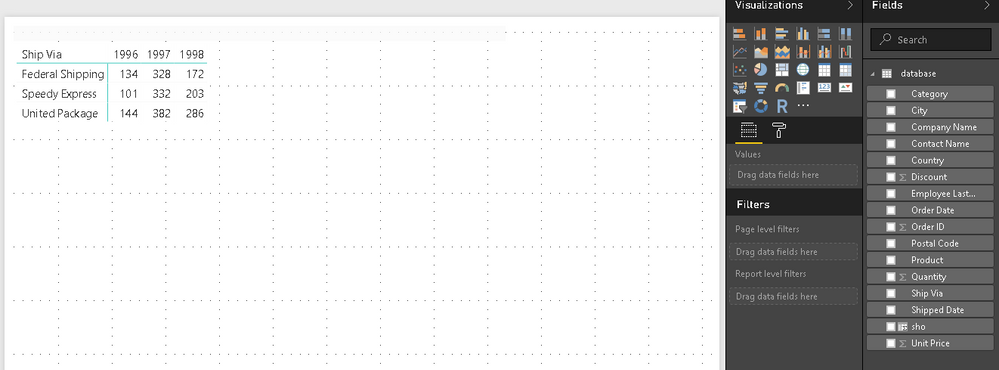
The above image is from an Excel file. I would like to recreate that in Power BI Desktop. By using the Matrix Visualization in Power BI Desktop I did only manage to create this:
Another problem is that I can't add the Shipped Date Year again since it is already added.
Thanks.
Solved! Go to Solution.
Hi @hustlas4ever,
The Power BI matrix visual is different from the Pivot table in Excel. The matrix cells display aggregate values that are scoped to the intersection of the row and column groups to which the cell belongs. We are not able to add duplicate columns to the Row or Column groups. So in your scenario, unless the original table contains a specific column group both Ship Date column, then you can get your expected results. You can see attached .pbix.
Best Regards,
Qiuyun Yu
Hi @hustlas4ever,
The Power BI matrix visual is different from the Pivot table in Excel. The matrix cells display aggregate values that are scoped to the intersection of the row and column groups to which the cell belongs. We are not able to add duplicate columns to the Row or Column groups. So in your scenario, unless the original table contains a specific column group both Ship Date column, then you can get your expected results. You can see attached .pbix.
Best Regards,
Qiuyun Yu
| User | Count |
|---|---|
| 23 | |
| 20 | |
| 19 | |
| 18 | |
| 10 |
| User | Count |
|---|---|
| 53 | |
| 53 | |
| 40 | |
| 37 | |
| 32 |