Join us at FabCon Atlanta from March 16 - 20, 2026, for the ultimate Fabric, Power BI, AI and SQL community-led event. Save $200 with code FABCOMM.
Register now!The Power BI Data Visualization World Championships is back! It's time to submit your entry. Live now!
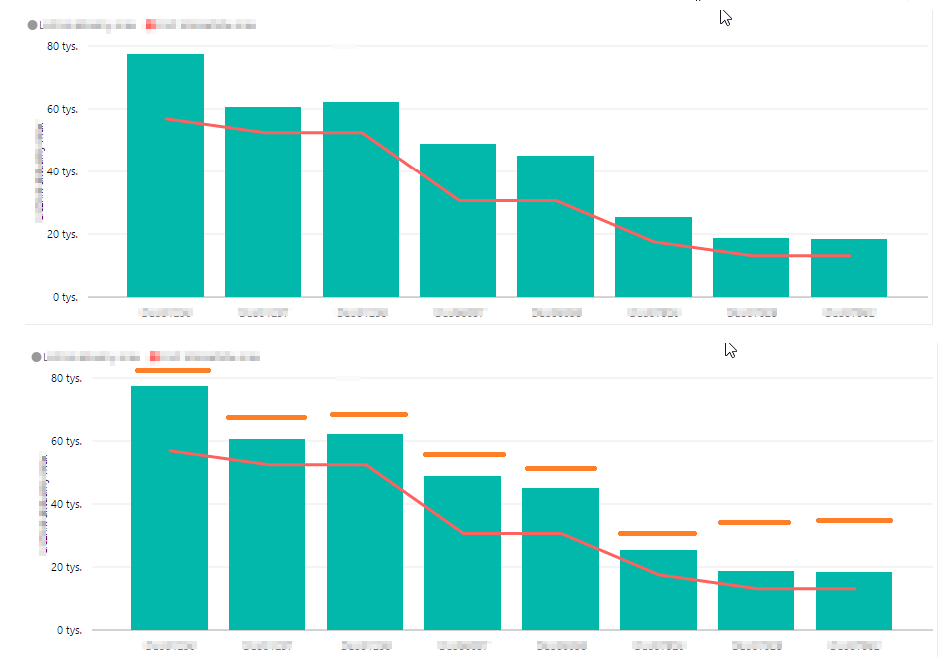
The picture shows a graph that has goals set for each category. I do not want these goals to be presented in the form of a continuous line (red line) and in the form of a dashed line (orange line)
Solved! Go to Solution.
You would have to create your own custom visual for that. Or use a different visual to compare actuals against targets - Clustered column chart seems to be good for that as you can immediately see where actual is lower than the target (comparing columns side by side).
| User | Count |
|---|---|
| 50 | |
| 37 | |
| 31 | |
| 22 | |
| 19 |
| User | Count |
|---|---|
| 135 | |
| 102 | |
| 60 | |
| 36 | |
| 35 |