This is best Fabric, Power BI, SQL and AI community event. How do we know? The last event sold out! Save €200 with code FABCMTY200.
Register nowA new Data Days event is coming soon! This time we’re going bigger than ever. Fabric, Power BI, SQL, AI and more. Don't miss out.
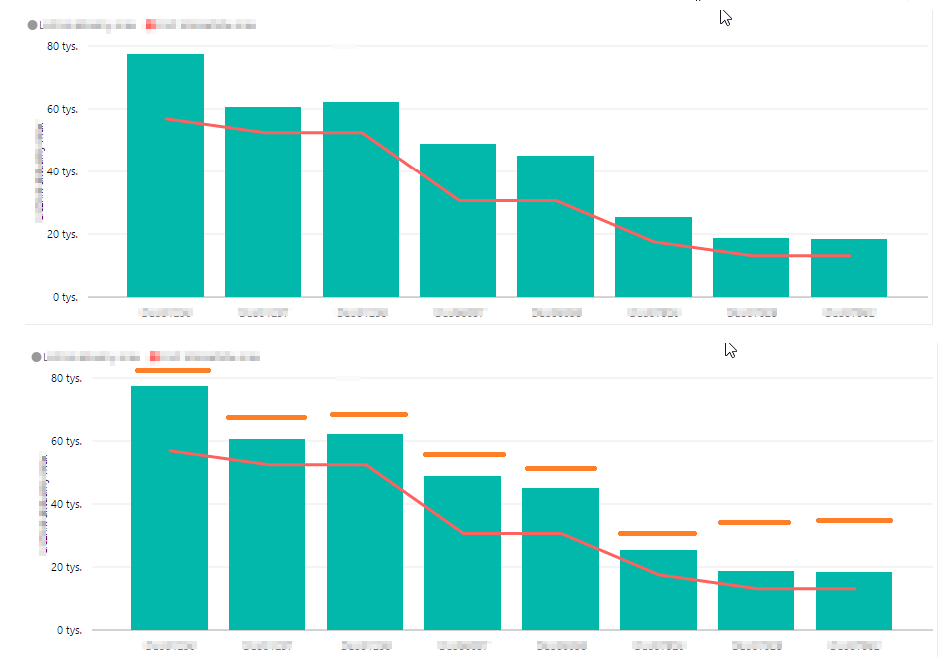
The picture shows a graph that has goals set for each category. I do not want these goals to be presented in the form of a continuous line (red line) and in the form of a dashed line (orange line)
Solved! Go to Solution.
You would have to create your own custom visual for that. Or use a different visual to compare actuals against targets - Clustered column chart seems to be good for that as you can immediately see where actual is lower than the target (comparing columns side by side).
Check out the May 2026 Power BI update to learn about new features.
Sign up to receive a private message when registration opens and key events begin.
If you have recently started exploring Fabric, we'd love to hear how it's going. Your feedback can help with product improvements.
| User | Count |
|---|---|
| 30 | |
| 28 | |
| 23 | |
| 19 | |
| 17 |
| User | Count |
|---|---|
| 49 | |
| 47 | |
| 40 | |
| 21 | |
| 19 |