Join us at FabCon Atlanta from March 16 - 20, 2026, for the ultimate Fabric, Power BI, AI and SQL community-led event. Save $200 with code FABCOMM.
Register now!The Power BI Data Visualization World Championships is back! Get ahead of the game and start preparing now! Learn more
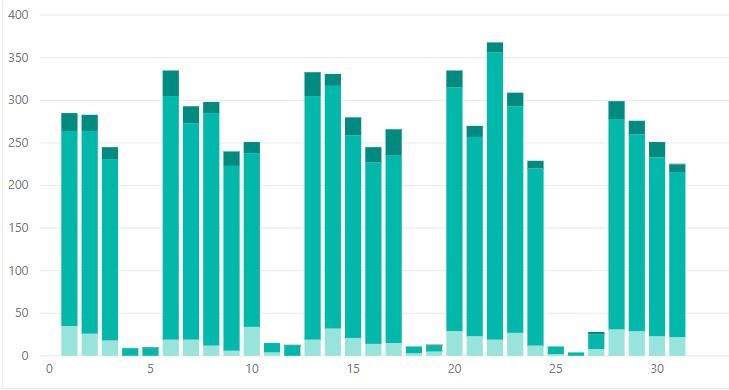
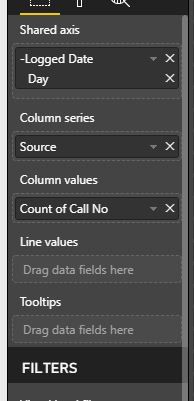
Okay, so I have a line and stack graph which shows the number of telephone calls we had over a period of time. This is then stacked by the types of calls we get.
What I now want to do is show the number of important calls we got by using the line value. Unfortunetly the 'Priority Column' includes all priorities (1,2,3,4,5). But high priorities are 1 and 2. How do I filter that?
Hi @Anonymous,
You can acheive this by a number of methods.
1. If you want to use this condition not only in this visual but also in some other visuals, simply write a dax formula where you can filter on priority
Calls Count = CALCULATE(COUNT(Table1[Calls]),Filter(Table1,Table1[Call Priority]<=2))
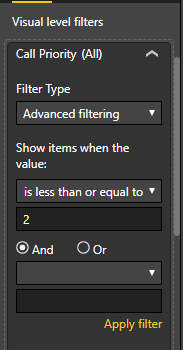
2. To only filter this visual based on priority just add the "Call Priority" to the Visual Filters and apply "less than or equal" 2.
Regards,
Affan
Hi,
Drag the Call Priority column to the Visual filter section in the visualisation pane and apply the condition of less than equal to 2.
The Power BI Data Visualization World Championships is back! Get ahead of the game and start preparing now!
| User | Count |
|---|---|
| 151 | |
| 130 | |
| 109 | |
| 79 | |
| 54 |