cancel
Showing results for 
Search instead for 
Did you mean: 

Learn from the best! Meet the four finalists headed to the FINALS of the Power BI Dataviz World Championships! Register now

Reply
jschoenf87
New Member

Labels position Y axis

Hi


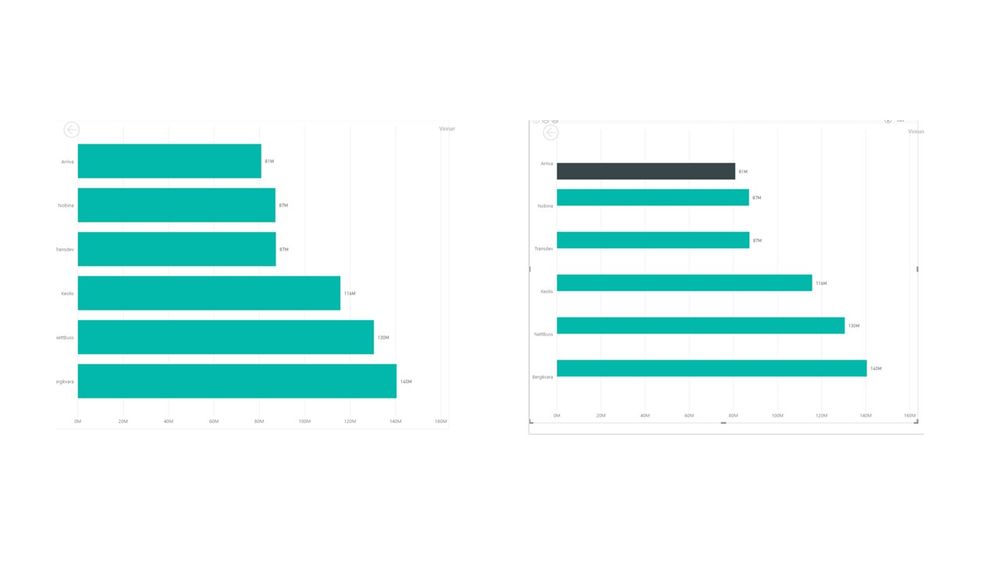
I created a highlighter to point out a certain bar in my chart. I used an if statement to do so. Why is PowerBI screwing up my Y-axis? 
powerBI q.jpg

1 ACCEPTED SOLUTION

nice solution, but I solved it by changing the chart type.


thx!

View solution in original post

4 REPLIES 4
Stachu
Community Champion
Community Champion

it seems the chart on the right is 2 series (teal and black), where the black series has value only for top bar, and teal for all bars except the top one


Did I answer your question? Mark my post as a solution!
Thank you for the kudos 🙂

That is correct, I only want to highlight the top bar and not the others.


any solution?

well right now you're not really highlighting, you're transforming one data series into two, and using different colours for each.
have you tried using the format options instead?
Capture.PNG


Did I answer your question? Mark my post as a solution!
Thank you for the kudos 🙂

nice solution, but I solved it by changing the chart type.


thx!

Helpful resources

Announcements
Join our Fabric User Panel

Join our Fabric User Panel

Share feedback directly with Fabric product managers, participate in targeted research studies and influence the Fabric roadmap.

February Power BI Update Carousel

Power BI Monthly Update - February 2026

Check out the February 2026 Power BI update to learn about new features.

FabCon Atlanta 2026 carousel

FabCon Atlanta 2026

Join us at FabCon Atlanta, March 16-20, for the ultimate Fabric, Power BI, AI and SQL community-led event. Save $200 with code FABCOMM.