Join us at FabCon Atlanta from March 16 - 20, 2026, for the ultimate Fabric, Power BI, AI and SQL community-led event. Save $200 with code FABCOMM.
Register now!Get Fabric Certified for FREE during Fabric Data Days. Don't miss your chance! Request now
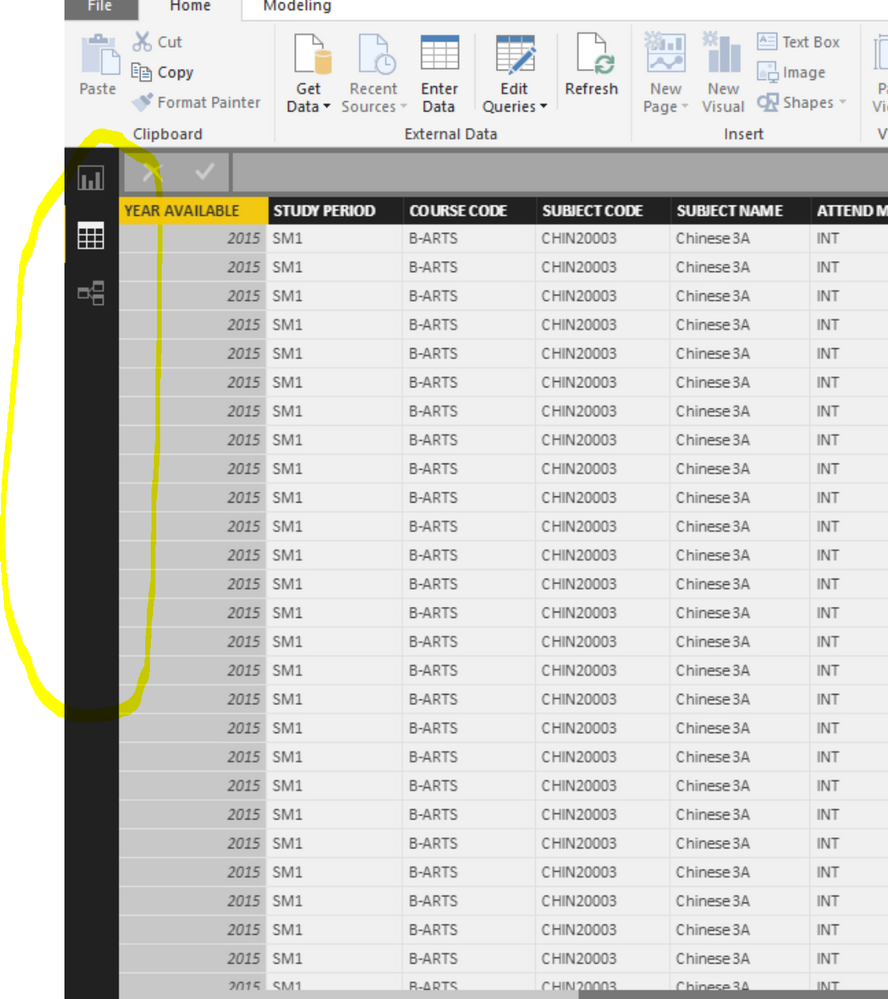
Hi - I cannot get the menubar at the left to reappear! I have tried uninstalling and reinstalling. Is there any way to get to the Member management section or return the menu bar?Screenshot
Solved! Go to Solution.
This is on the PBI Service not in the PBI Desktop.
So log into your account online and it will be there!
Good Luck! ![]()
Hi @henryhcraig,
Publish your Power BI Desktop file that configured RLS roles to Power BI Service following the guide in this article, then add members to RLS role in Power BI Service.
Thanks,
Lydia Zhang
Hi Sean - thanks for your reply. I'm trying to manage security on my dataset (https://powerbi.microsoft.com/en-us/documentation/powerbi-admin-rls/, "Manage security on your model"). It says to click on the elipse on the navigator bar - but mine is hidden (see previous screenshot). I can get to the query editos - but not to the security from there?
Hi @henryhcraig,
Publish your Power BI Desktop file that configured RLS roles to Power BI Service following the guide in this article, then add members to RLS role in Power BI Service.
Thanks,
Lydia Zhang
This is on the PBI Service not in the PBI Desktop.
So log into your account online and it will be there!
Good Luck! ![]()
Check out the November 2025 Power BI update to learn about new features.
Advance your Data & AI career with 50 days of live learning, contests, hands-on challenges, study groups & certifications and more!