This time we’re going bigger than ever. Fabric, Power BI, SQL, AI and more. We're covering it all. You won't want to miss it.
Learn moreLevel up your Power BI skills this month - build one visual each week and tell better stories with data! Get started
Hi All,
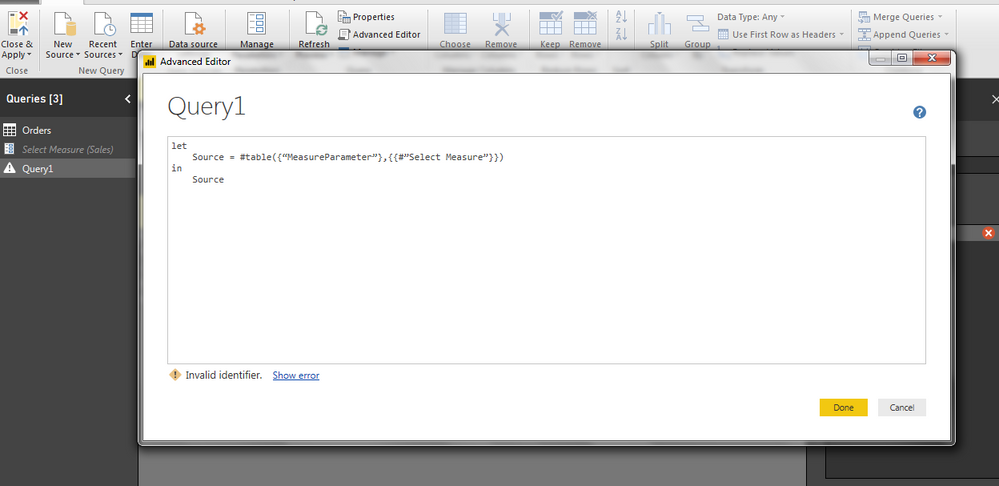
I have created a parameter using manage parameter option form edit queries. But I want to call that parameter in a measure, so I created a blank query and I am trying write this syntax
As you can see I have named my parameter on right hand side as "Select Measure"
so when I write a syntax in blank query like this
let
Source = #table({“MeasureParameter”},{{#”Select Measure”}})
in
Source
It gives me Invalid Identifier error. over this section
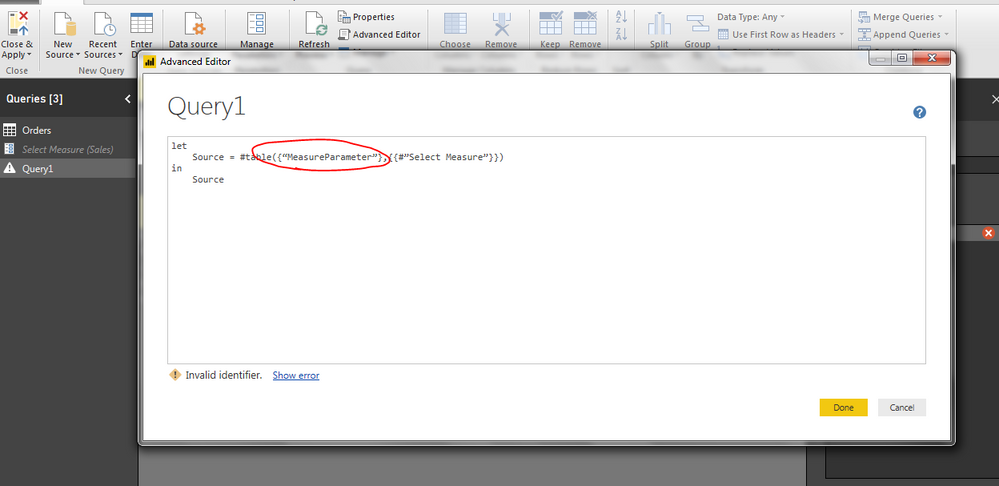
I have no idea what is happeneing, My actual parameter is on right side of syntax, so what is first part which I have highlighted?
I think its just a random name by which that parameter will be called.. I need help on this..
I am following this article
http://community.powerbi.com/t5/Desktop/Passing-Parameters-in-measures/m-p/208276
Thanks in advance.
Solved! Go to Solution.
Hi @Bhavana_PB,
Please try it like this. I would suggest you avoid using spaces in the parameter names. Then you can use the parameter name directly.
let
Source = #"Select Measure"
in
Source
Best Regards,
Dale
Hi @Bhavana_PB,
Did it help? Can you mark it as an answer?
Best Regards,
Dale
Hi,
Sorry for late reply, yes its working for me.
Thank you
Bhavana
Hi @Bhavana_PB,
Please try it like this. I would suggest you avoid using spaces in the parameter names. Then you can use the parameter name directly.
let
Source = #"Select Measure"
in
Source
Best Regards,
Dale
Check out the April 2026 Power BI update to learn about new features.
Sign up to receive a private message when registration opens and key events begin.
If you have recently started exploring Fabric, we'd love to hear how it's going. Your feedback can help with product improvements.
| User | Count |
|---|---|
| 36 | |
| 28 | |
| 27 | |
| 20 | |
| 18 |
| User | Count |
|---|---|
| 67 | |
| 35 | |
| 33 | |
| 25 | |
| 24 |