Join us at FabCon Atlanta from March 16 - 20, 2026, for the ultimate Fabric, Power BI, AI and SQL community-led event. Save $200 with code FABCOMM.
Register now!The Power BI Data Visualization World Championships is back! Get ahead of the game and start preparing now! Learn more
Your parameter seems to be set to Date/Time, while the column is set to Date.
Click on "Manage Parameters" and change in the dropdown to date (or you can change the column to date/time).
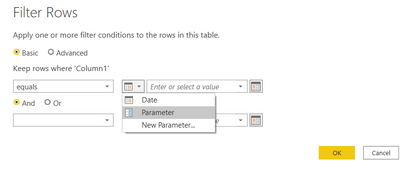
Afterwards when you go to a custom filter a little box will appear to the left of the entry. Here you can change to parameter and select the param in the entry dropdown
Did I answer your question? Mark my post as a solution! Proud to be a Super User!
Connect with me!
Stay up to date on
Read my blogs on
Your parameter seems to be set to Date/Time, while the column is set to Date.
Click on "Manage Parameters" and change in the dropdown to date (or you can change the column to date/time).
Afterwards when you go to a custom filter a little box will appear to the left of the entry. Here you can change to parameter and select the param in the entry dropdown
Did I answer your question? Mark my post as a solution! Proud to be a Super User!
Connect with me!
Stay up to date on
Read my blogs on
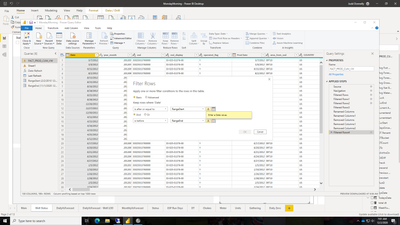
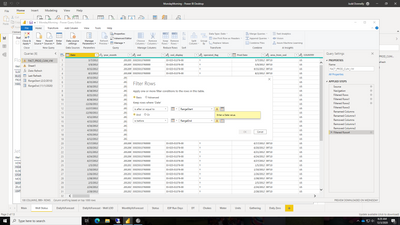
Still same issue, I am not getting the little box:
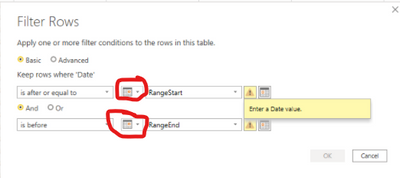
To the left of where you have typed "RangeStart" and "RangeEnd" you can switch to parameter
Did I answer your question? Mark my post as a solution! Proud to be a Super User!
Connect with me!
Stay up to date on
Read my blogs on
The Power BI Data Visualization World Championships is back! Get ahead of the game and start preparing now!
| User | Count |
|---|---|
| 41 | |
| 39 | |
| 37 | |
| 29 | |
| 24 |
| User | Count |
|---|---|
| 118 | |
| 98 | |
| 70 | |
| 69 | |
| 65 |