Learn from the best! Meet the four finalists headed to the FINALS of the Power BI Dataviz World Championships! Register now
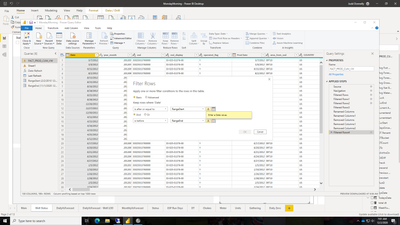
Your parameter seems to be set to Date/Time, while the column is set to Date.
Click on "Manage Parameters" and change in the dropdown to date (or you can change the column to date/time).
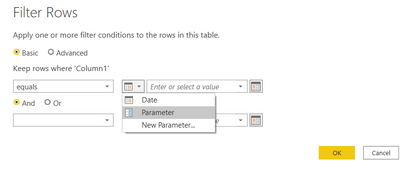
Afterwards when you go to a custom filter a little box will appear to the left of the entry. Here you can change to parameter and select the param in the entry dropdown
Did I answer your question? Mark my post as a solution! Proud to be a Super User!
Connect with me!
Stay up to date on
Read my blogs on
Your parameter seems to be set to Date/Time, while the column is set to Date.
Click on "Manage Parameters" and change in the dropdown to date (or you can change the column to date/time).
Afterwards when you go to a custom filter a little box will appear to the left of the entry. Here you can change to parameter and select the param in the entry dropdown
Did I answer your question? Mark my post as a solution! Proud to be a Super User!
Connect with me!
Stay up to date on
Read my blogs on
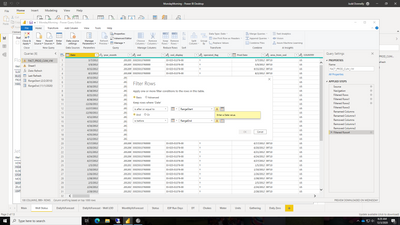
Still same issue, I am not getting the little box:
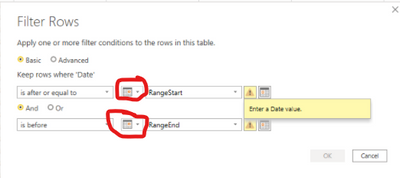
To the left of where you have typed "RangeStart" and "RangeEnd" you can switch to parameter
Did I answer your question? Mark my post as a solution! Proud to be a Super User!
Connect with me!
Stay up to date on
Read my blogs on
| User | Count |
|---|---|
| 55 | |
| 37 | |
| 23 | |
| 17 | |
| 17 |
| User | Count |
|---|---|
| 69 | |
| 58 | |
| 39 | |
| 21 | |
| 21 |