cancel
Showing results for 
Search instead for 
Did you mean: 

July 7 - July 17 | Round 2 of the Power BI Dataviz World Championships. Don't miss your chance! Learn more

Reply
prakhar
Frequent Visitor

Import Table created using DAX into Power BI Query

I have some tables imported from different sources into Power BI using M. I have only learnt DAX expressions propoerly till now. I created a new table using DAX expressions directly.

Now, I am trying to write a M query but I am not sure how to import the table that I created using DAX.

I used Source = #"Table1". But it recognizes Table1 only if it was created using M. It doesn't recognize the one created using DAX.

1 ACCEPTED SOLUTION

Actually it is possible!  But in a really round about way which I don't recommend.


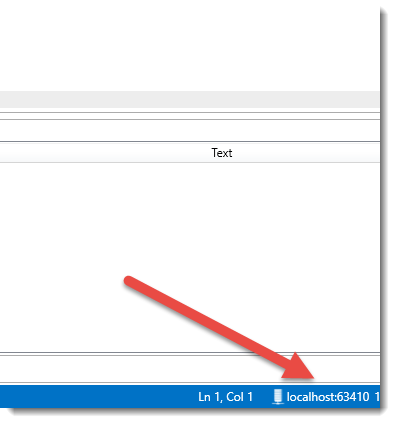
Using Get Data use can specify Analysys Services as your source.  If you have DAX Studio you can find the port number your PBI Desktop model is listening on.  Simply connect to Localhost:63410 (or whatever port number your model is currently on)


port number.png


You can then use your DAX tables as data sources to import in.  Each time you open/close PBI Desktop the port number will change and you'll have to manually update it which is where it falls apart. 


So it's ok for one off work but no good in reality.  Mostly interesting.


To learn more about DAX visit : aka.ms/practicalDAX

Proud to be a Datanaut!

View solution in original post

3 REPLIES 3
Sean
Community Champion
Community Champion

Query Editor to DAX is a ONE WAY street!


Meaning DAX created tables are NOT accessible in the Query Editor!

Actually it is possible!  But in a really round about way which I don't recommend.


Using Get Data use can specify Analysys Services as your source.  If you have DAX Studio you can find the port number your PBI Desktop model is listening on.  Simply connect to Localhost:63410 (or whatever port number your model is currently on)


port number.png


You can then use your DAX tables as data sources to import in.  Each time you open/close PBI Desktop the port number will change and you'll have to manually update it which is where it falls apart. 


So it's ok for one off work but no good in reality.  Mostly interesting.


To learn more about DAX visit : aka.ms/practicalDAX

Proud to be a Datanaut!

Thanks for the workaround. For this time I will rewrite my queries. But it might come in handy when there are too many queries to be rewritten.

Helpful resources

Announcements
FabCon and SQLCon Barcelona 2026

FabCon & SQLCon – Barcelona 2026

Join us in Barcelona for FabCon and SQLCon, the Fabric, Power BI, SQL, and AI community event. Save €200 with code FABCMTY200.

60 days of Data Days Carousel

Data Days 2026

Join Data Days 2026: 60 days of free live/on-demand sessions, challenges, study groups, and certification opportunities.

Power BI DataViz World Championships carousel

Power BI DataViz World Championships - June 2026

A new Power BI DataViz World Championship is coming this June! Don't miss out on submitting your entry.

Top Solution Authors