Join us at FabCon Atlanta from March 16 - 20, 2026, for the ultimate Fabric, Power BI, AI and SQL community-led event. Save $200 with code FABCOMM.
Register now!The Power BI Data Visualization World Championships is back! Get ahead of the game and start preparing now! Learn more
Hi All
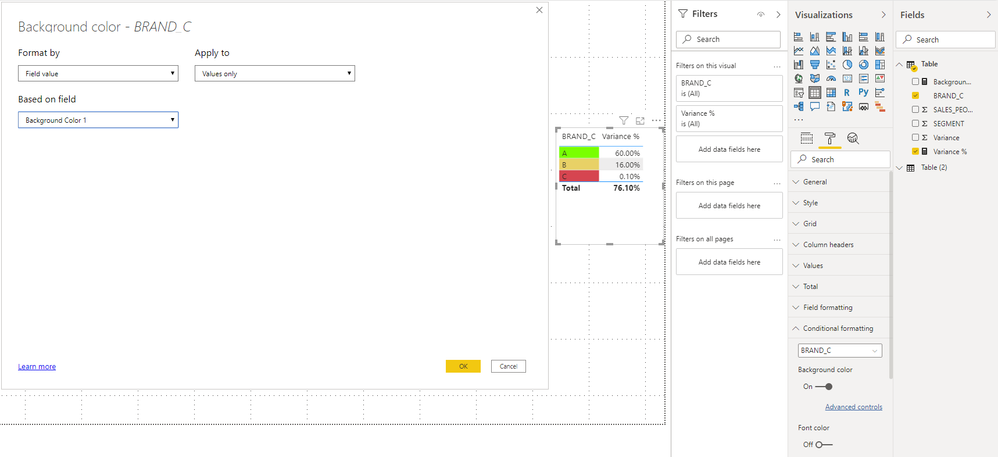
I have below script work fine.
Solved! Go to Solution.
Hi @Anonymous ,
For having dynamic background color expression, you just use [Variance %] instead of
CALCULATE ( [Variance %], ALLEXCEPT ( 'TABLE', 'TABLE'[BRAND_C] ) ).
And your switch expression may have a little problem.
The revised complete expression is as follows:
Best Regards,
Stephen Tao
If this post helps, then please consider Accept it as the solution to help the other members find it more quickly.
Hi @Anonymous ,
For having dynamic background color expression, you just use [Variance %] instead of
CALCULATE ( [Variance %], ALLEXCEPT ( 'TABLE', 'TABLE'[BRAND_C] ) ).
And your switch expression may have a little problem.
The revised complete expression is as follows:
Best Regards,
Stephen Tao
If this post helps, then please consider Accept it as the solution to help the other members find it more quickly.
Hi Stephen
Thank you very much
Paul
Check out the November 2025 Power BI update to learn about new features.
Advance your Data & AI career with 50 days of live learning, contests, hands-on challenges, study groups & certifications and more!