This is best Fabric, Power BI, SQL and AI community event. How do we know? The last event sold out! Save €200 with code FABCMTY200.
Register nowA new Data Days event is coming soon! This time we’re going bigger than ever. Fabric, Power BI, SQL, AI and more. Don't miss out.
Hi experts,
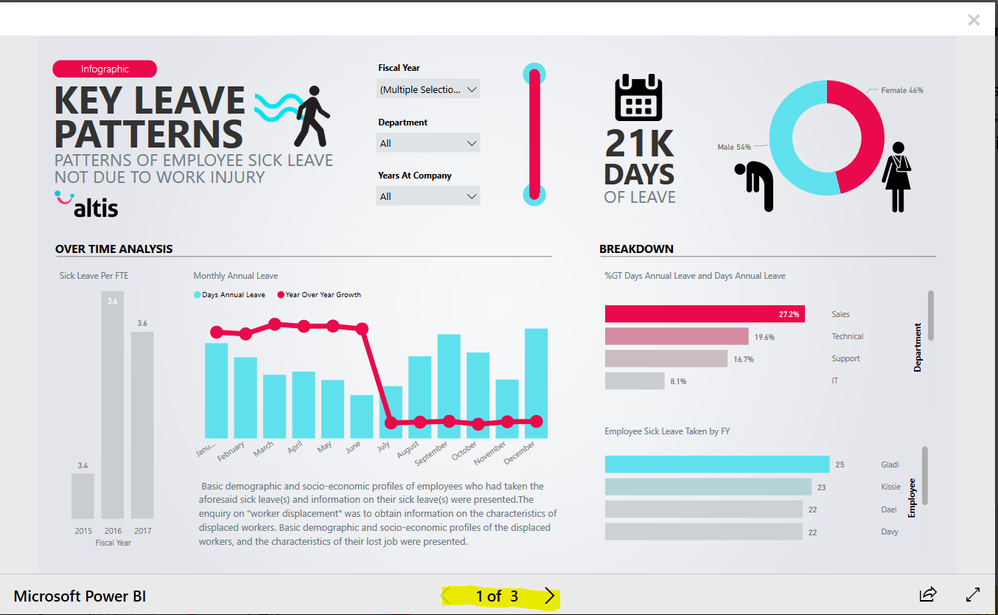
How to generate report like , I have seen the sample in MS powerbi site, please share some tutorial, I am crave to learn.ScreenShot
Solved! Go to Solution.
hi, @Miruthan
sending some links
https://docs.microsoft.com/en-us/power-bi/power-bi-reports-tips-and-tricks-for-creating
https://docs.microsoft.com/en-us/power-bi/service-dashboards-design-tips
"<URL removed by Admin>"
Hey @Miruthan,
Appreciate this post is a little old, but Power BI has since added a number of great design features that make it easier to build well-designed reports like the one you showcased above.
Here are a few resources we created at Numerro to help Power BI users build well-designed reports:
Hope that helps!
Cheers, Morgan
hi, @Miruthan
sending some links
https://docs.microsoft.com/en-us/power-bi/power-bi-reports-tips-and-tricks-for-creating
https://docs.microsoft.com/en-us/power-bi/service-dashboards-design-tips
"<URL removed by Admin>"
Sign up to receive a private message when registration opens and key events begin.
If you have recently started exploring Fabric, we'd love to hear how it's going. Your feedback can help with product improvements.
| User | Count |
|---|---|
| 32 | |
| 26 | |
| 21 | |
| 20 | |
| 15 |
| User | Count |
|---|---|
| 65 | |
| 41 | |
| 28 | |
| 22 | |
| 22 |