Join us at FabCon Atlanta from March 16 - 20, 2026, for the ultimate Fabric, Power BI, AI and SQL community-led event. Save $200 with code FABCOMM.
Register now!View all the Fabric Data Days sessions on demand. View schedule
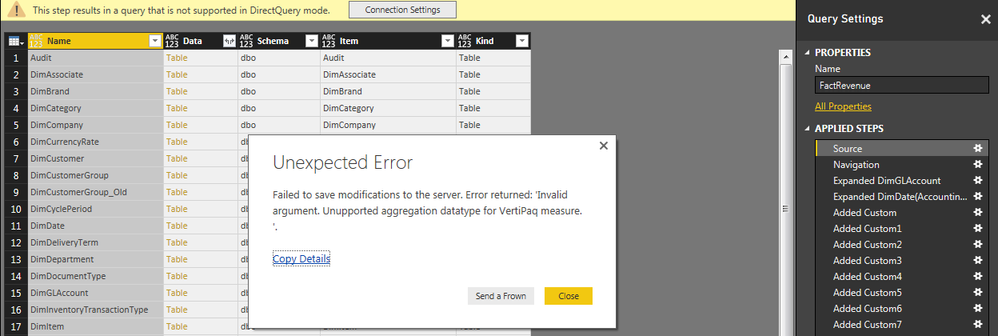
I tried it as follows
Query Editor > Tap on 'Source' step > 'Connection Settings' in the top warning bar > Import
but i got following error please consider the image i attached.
what did i miss...??
Solved! Go to Solution.
@Anonymous you should be able to convert from DQ to Import using method you're already trying or in power bi desktop on bottom left hand corner you will see message 'DirectQuery enabled (click to change)' which will let you change back to Import. But I am thinking since it is throwing you error it is related to some of the custom steps you've applied to the query. So I would suggest going back to first step of Source and change it to DQ and then follow each step one by one until you get to one that throws error and fix it.
Check out the November 2025 Power BI update to learn about new features.
Advance your Data & AI career with 50 days of live learning, contests, hands-on challenges, study groups & certifications and more!