Don't miss your chance to take the Fabric Data Engineer (DP-600) exam for FREE! Find out how by watching the DP-600 session on-demand now through April 28th.
Learn moreJoin the FabCon + SQLCon recap series. Up next: Power BI, Real-Time Intelligence, IQ and AI, and Data Factory take center stage. All sessions are available on-demand after the live show. Register now
Hi , After updating $ Sales, $Orders from Google Analystics , I realise I forgot to include Unit Sales. How do I update my data source without having to re-create the whole query? Thanks
Malcolm Wun
Go to Power Query->Manage-> Add items
Hi @Anonymous,
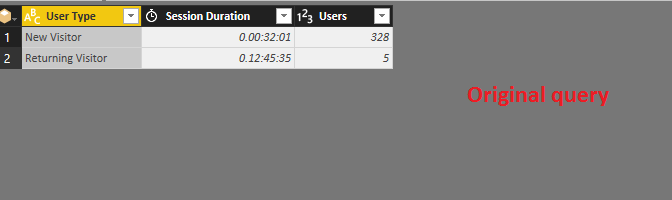
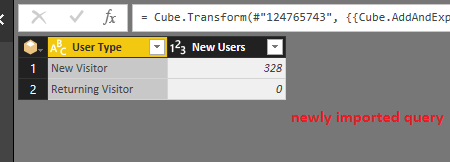
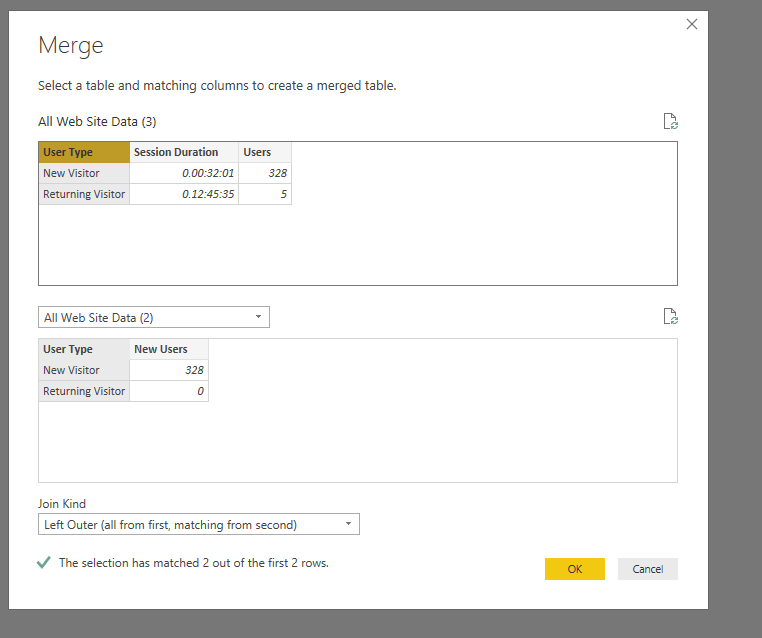
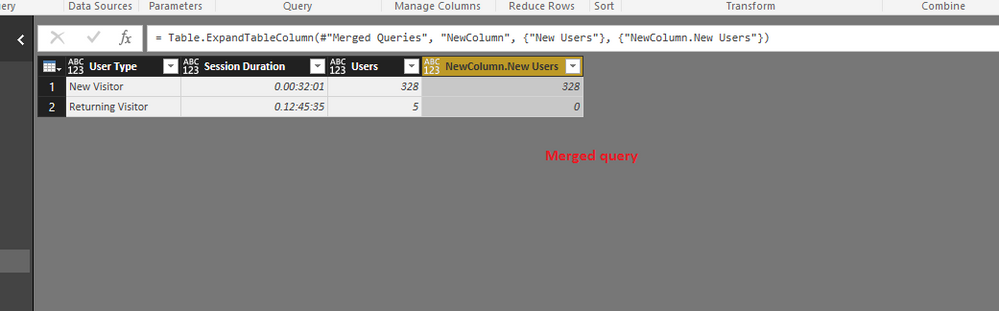
You can click Recent Sources in the current Power BI Desktop file, and select Google Analytics, in the Navigator, you can select Unit Sales with dimension to import the data to Power BI. Then in the Query editor, using merge queries feature under Home ribbon, you can merge the newly imported query to your current query.
There is an example for your reference.
If the above steps don't work in your sceanrio, please post sample data of your tables and expected result, also we need to know if these fields($ Sales, $Orders,Unit Sales ) are in same cube.
Thanks,
Lydia Zhang
HI It didnt work for me as the merge process did not pull the "data" from the new created GA.. I also note that the GA for both the Current and NEW have more than 1 fields "Country", "Year" "Week of the Year" and "Date"... IF this is the case, what is the best solution stopping short of creating a new GA?
Hi @Anonymous,
Then you can use "Get Data->Google Analytics " entry in your current Power BI Desktop file to import data from new GA, then implement the merge process. It will be helpful for us to provide you appropriate method if you can post sample data of your tables.
Thanks,
Lydia Zhang
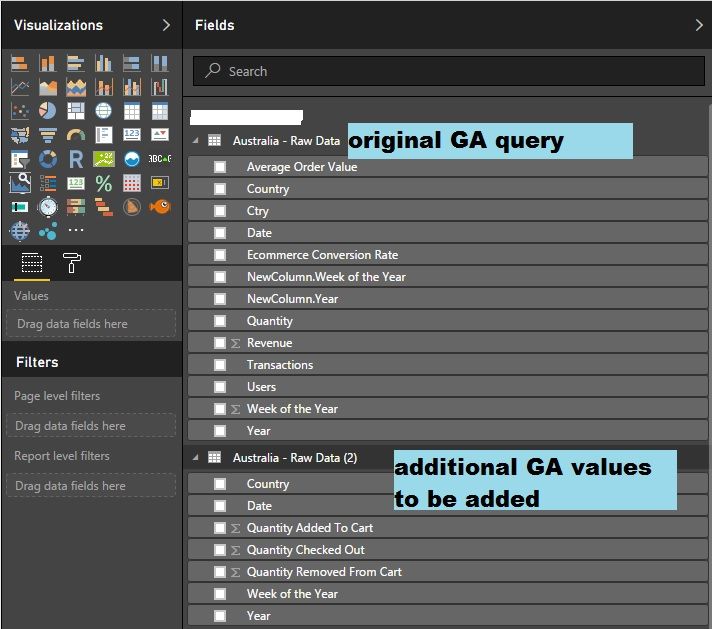
I started with Top Table and then I realise I needed 3 additional pieces of values (hence the 2nd table)
I want to know if I can just add the additional 3 pieces of information directly into "Australia - Rawdata". If yes, how do I edit.
Check out the April 2026 Power BI update to learn about new features.
If you have recently started exploring Fabric, we'd love to hear how it's going. Your feedback can help with product improvements.
A new Power BI DataViz World Championship is coming this June! Don't miss out on submitting your entry.
| User | Count |
|---|---|
| 48 | |
| 40 | |
| 38 | |
| 20 | |
| 17 |
| User | Count |
|---|---|
| 68 | |
| 65 | |
| 30 | |
| 26 | |
| 25 |