cancel
Showing results for 
Search instead for 
Did you mean: 

Next up in the FabCon + SQLCon recap series: The roadmap for Microsoft SQL and Maximizing Developer experiences in Fabric. All sessions are available on-demand after the live show. Register now

Reply
ironryan77
Kudo Commander
Kudo Commander

Get Data using Streaming Data API

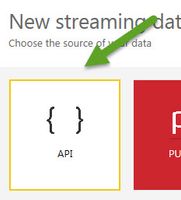
I want to create streaming datasets for our Power BI reports or dashboards.  But rather than use Azure or PubNub, I want to use the built-in API:

APIAPI


But every time I create this streaming dataset, when I try to use it as a source for my Power BI Dashboard, the visual appears empty:

empty visual.jpg


Why is it empty?  Is the problem that now I have to push this streaming dataset to Power BI?  I am confused because some of the posts I have read have said that the API can only do basic functionality like add table rows.  I want to be able to make my dashboard real-time.  But I want to do this with minimum development time. 

7 REPLIES 7
Phil_Seamark
Microsoft Employee
Microsoft Employee

Hi @ironryan77,


Have you posted any data to it?


You will need to build or configure something to send data to the API.  This can be as simple as a console app.  Once you start posting data to your API endpoint, data will appear in your tiles.


To learn more about DAX visit : aka.ms/practicalDAX

Proud to be a Datanaut!

Anonymous
Not applicable

Hi @ironryan77

Have you checked the blog about how to use API to create streaming dataset?  The columns you use in dashboard tile should also be created in your application, and the Push URL of your dataset should be used in your application.

Thanks,
Lydia Zhang

Which version of Visual Studio was this sample from the blog developed on? I'm using VS 2010 and when I try to open the SOLN or PROJ file it says:
This project is incompatible with the current version of Visual Studio.

Anonymous
Not applicable

Hi @ironryan77,

I am using VS2015. As other post, if you use API and want to create a real-time dashabord, you would need to create a simple console app to send data to your API , which is sampled in the above blog.

However, if you want to use PubNub, you can follow the instructions in this blog.

Thanks,
Lydia Zhang

Thanks that's cool but if I use pubnub can I use a SQL table instead of JSON?
The problem is I have a power bi dashboard develops on SQL tables that I want to make real time. I don't have Json data though and your example blog is referencing external Json data. Is it possible to transform my SQL into Json?
Anonymous
Not applicable

Hi @ironryan77,

JSON is the native format PubNub communicates in, I am afraid that you are not able to directly use SQL table in PubNub. Please contact PubNub support to get dedicated support about this issue.

In addition, you can convert SQL table to JSON following the guide in the article and blog below.
https://msdn.microsoft.com/en-us/library/dn921882.aspx
https://www.simple-talk.com/blogs/sql-server-json-to-table-and-table-to-json/ 

Thanks,
Lydia Zhang

Is it possible to create a Power BI streaming data report without creating an application?  Like what if I use PubNub?  And if I use API do I have to create a VS application for it?  I was hoping that I could convert my SQL table into JSON directly and use this as a datasource, rather than developing an application for it.

Helpful resources

Announcements
New to Fabric survey Carousel

New to Fabric Survey

If you have recently started exploring Fabric, we'd love to hear how it's going. Your feedback can help with product improvements.

Power BI DataViz World Championships carousel

Power BI DataViz World Championships - June 2026

A new Power BI DataViz World Championship is coming this June! Don't miss out on submitting your entry.

Join our Fabric User Panel

Join our Fabric User Panel

Share feedback directly with Fabric product managers, participate in targeted research studies and influence the Fabric roadmap.

March Power BI Update Carousel

Power BI Community Update - March 2026

Check out the March 2026 Power BI update to learn about new features.