Don't miss your chance to take the Fabric Data Engineer (DP-700) exam on us!
Learn moreWe've captured the moments from FabCon & SQLCon that everyone is talking about, and we are bringing them to the community, live and on-demand. Starts on April 14th. Register now
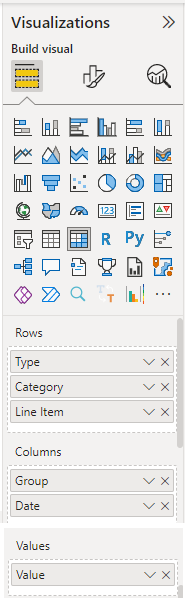
I have a matrix visual as follows and would like to sort the date column in descending order so that the latest date shows first
(09-2022 08-2022 07-2022 06-2022 etc.)
Following is the matrix visual with dummy data.
Any way to do this? Thanks!
Solved! Go to Solution.
Hey @ConnieMaldonado
unfortunately, there is a simple answer - this is not possible. This is because it's not possible to sort the columns by default.
For this reason, I tend to create additional columns in my calendar table with corresponding index columns (hidden in the report view). Then I use this feature https://learn.microsoft.com/en-us/power-bi/create-reports/desktop-sort-by-column . In combination with the Field parameters feature, I consider it a valid "workaround".
Hopefully, this provides an idea of how to tackle your challenge.
Regards,
Tom
Hey @ConnieMaldonado
unfortunately, there is a simple answer - this is not possible. This is because it's not possible to sort the columns by default.
For this reason, I tend to create additional columns in my calendar table with corresponding index columns (hidden in the report view). Then I use this feature https://learn.microsoft.com/en-us/power-bi/create-reports/desktop-sort-by-column . In combination with the Field parameters feature, I consider it a valid "workaround".
Hopefully, this provides an idea of how to tackle your challenge.
Regards,
Tom
Thank you Tom! The workaround helps.
If you have recently started exploring Fabric, we'd love to hear how it's going. Your feedback can help with product improvements.
A new Power BI DataViz World Championship is coming this June! Don't miss out on submitting your entry.
Share feedback directly with Fabric product managers, participate in targeted research studies and influence the Fabric roadmap.
| User | Count |
|---|---|
| 53 | |
| 35 | |
| 31 | |
| 19 | |
| 17 |
| User | Count |
|---|---|
| 75 | |
| 72 | |
| 39 | |
| 35 | |
| 23 |