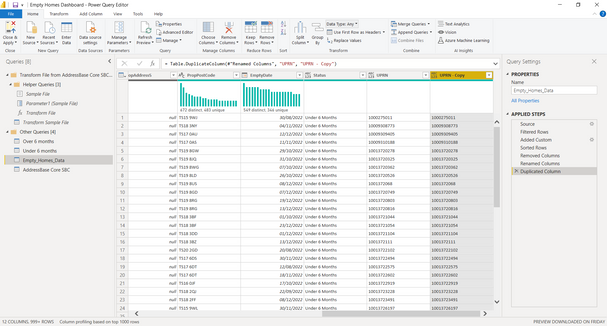
https://learn.microsoft.com/en-us/powerquery-m/text-padend
You can use a find-and-replace or a custom column to utilise
Text.PadEnd([UPRN], 10, "0")
The below code changes it to a string and adds "0"s as doing it with Int seems to cause issues.
Code Example
let
    Source = Table.FromRows(Json.Document(Binary.Decompress(Binary.FromText("i45WMjQyNjE1M7ewVIrViVYyMjM1sTAxt4BwDE3NwAygGqAwUEUsAA==", BinaryEncoding.Base64), Compression.Deflate)), let _t = ((type nullable text) meta [Serialized.Text = true]) in type table [UPRN = _t]),
    #"Changed Type1" = Table.TransformColumnTypes(Source,{{"UPRN", type text}}),
    #"Replaced Value" = Table.ReplaceValue(#"Changed Type1",each [UPRN],each Text.PadEnd([UPRN],10,"0"),Replacer.ReplaceValue,{"UPRN"}),
    #"Changed Type" = Table.TransformColumnTypes(#"Replaced Value",{{"UPRN", Int64.Type}})
in
    #"Changed Type"