Join us at FabCon Atlanta from March 16 - 20, 2026, for the ultimate Fabric, Power BI, AI and SQL community-led event. Save $200 with code FABCOMM.
Register now!The Power BI Data Visualization World Championships is back! Get ahead of the game and start preparing now! Learn more
Solved! Go to Solution.
Thank you, @DataInsights !
It is not displaying the exact percentages while using your formula. I will recheck later. Some filters are also applied, and it might be the cause.
I have already got the job done with a mere tweaking.
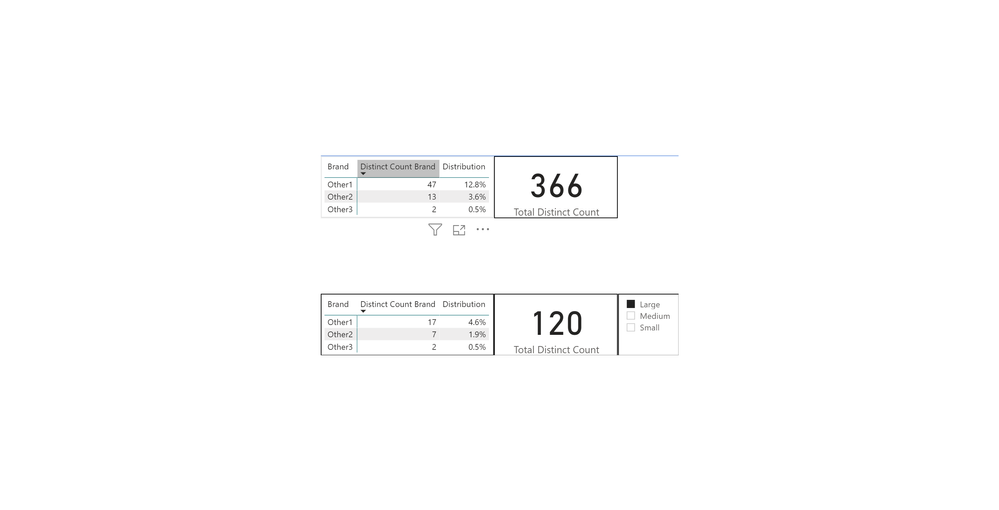
Try this measure. It uses ALLSELECTED, instead of ALL.
Distribution =
DIVIDE (
DISTINCTCOUNT ( Table1[Brand Availability] ),
CALCULATE ( DISTINCTCOUNT ( Table1[Store ID] ), ALLSELECTED ( Table1 ) )
)
Proud to be a Super User!
Thank you, @DataInsights !
It is not displaying the exact percentages while using your formula. I will recheck later. Some filters are also applied, and it might be the cause.
I have already got the job done with a mere tweaking.
The Power BI Data Visualization World Championships is back! Get ahead of the game and start preparing now!
| User | Count |
|---|---|
| 39 | |
| 37 | |
| 33 | |
| 32 | |
| 29 |
| User | Count |
|---|---|
| 133 | |
| 88 | |
| 85 | |
| 68 | |
| 64 |