Don't miss your chance to take the Fabric Data Engineer (DP-700) exam on us!
Learn moreNext up in the FabCon + SQLCon recap series: The roadmap for Microsoft SQL and Maximizing Developer experiences in Fabric. All sessions are available on-demand after the live show. Register now
Hi there,
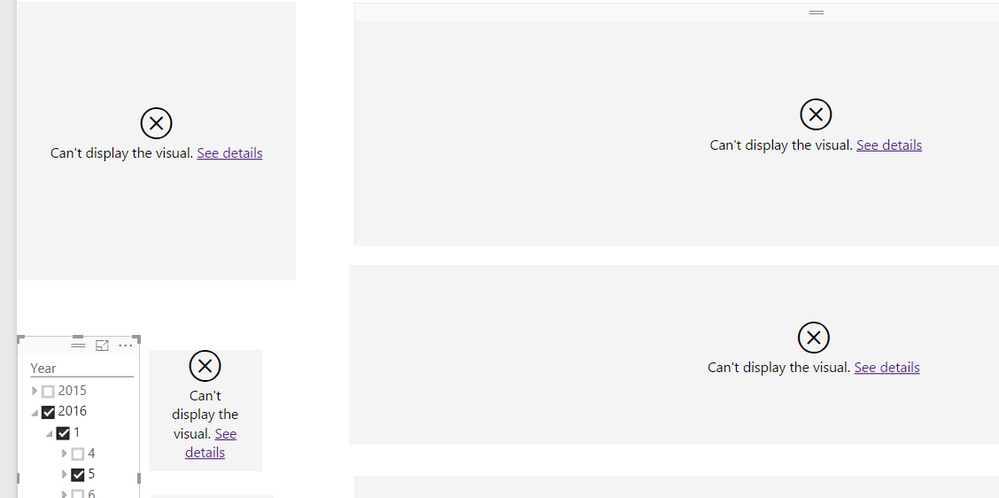
I put a Year hierarchy slicer on my report. However, when I select any specific day, all the other charts stop working. As the pic shown below. I've used the same slicer on other reports and they all worked well. Can somebody help me with this problem? Thanks ahead ![]()
Solved! Go to Solution.
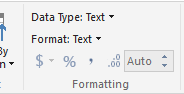
The data I used for the report is live data which was laoded by Directquery. The original Date column is Text format, like "20140503", and The downside of Power BI is that I cannot change the data type of live data in Edit Query. Then I learned that I can change the data type in the Modeling section. As the screenshot shown below. However, this leads to the failure of slicer. I had to change the data format back to Text and use Dax function sunch as "Left", "Right" to extract Year, Month and Day. In this way, the slicer works well. Hope Power BI can fix this defect someday.
What do you get when you click the link for See details on the visualizations? Do they each say the same thing?
Hi @sunjin122,
You can share detailed solution in this forum, this way, other community members could benefit from your solution if they encounter same issues.
Thanks,
Lydia Zhang
If you have recently started exploring Fabric, we'd love to hear how it's going. Your feedback can help with product improvements.
A new Power BI DataViz World Championship is coming this June! Don't miss out on submitting your entry.
Share feedback directly with Fabric product managers, participate in targeted research studies and influence the Fabric roadmap.
| User | Count |
|---|---|
| 56 | |
| 47 | |
| 44 | |
| 20 | |
| 20 |
| User | Count |
|---|---|
| 73 | |
| 72 | |
| 34 | |
| 33 | |
| 31 |