Hey everyone,
I have a requirement where user will select a date (dont have any relation with table) and data will be filtered accordingly based on following condition selected date<=effectivefrom and selected date>effectiveto.
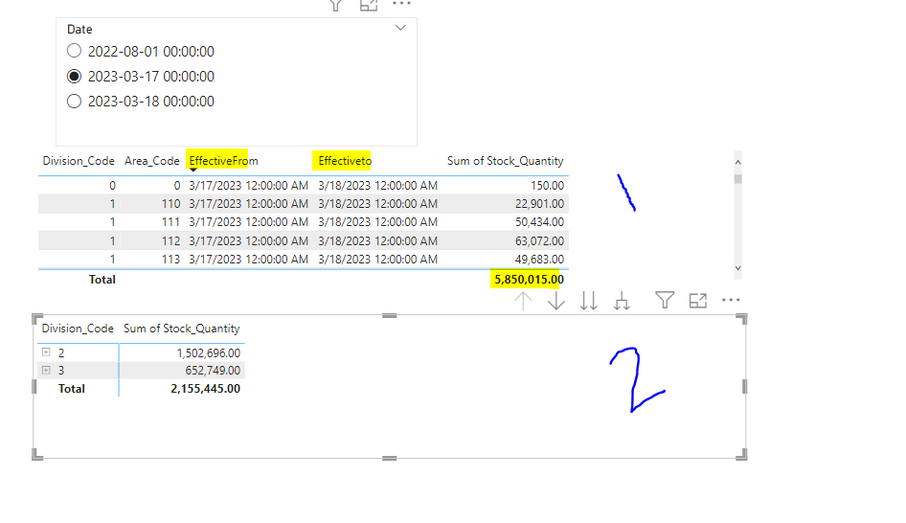
I have created the measure and its working fine as long as effective from and effective to columns are there as shown in visual (1)
But in report requirment these two columns should not be in visual as shown in view (2) it should only contain Division Code & Area Code in Matrix Visual.
So when i remove them result changes as shown in view (2).
So is there any way to achieve it?
Effort that i did:
I did applied it using direct query but its too slow and i want it done in import mode.Also dont want other approach which is hiding the column by turning of wrap text as reports will be sent as in excel.