I have a query with a grouped column that contains a field "customDomains" however this field is sometimes empty. When I expand the column it results in the table only showing rows up until the first entry that does not have anything in "customDomains".
I.e
This is the table before i try to expand:
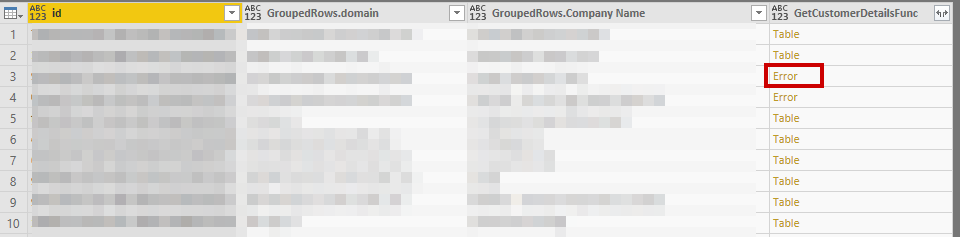
With the below error on the 3rd row:

After selecting to expand, it only expands the first 2 rows and stops at the first error.
Is there a way to ignore the error and expand the rows after it?
This is the powerquery with the expand:
let
pcToken = GetPartnerCenterToken(<OMITTED>),

customers = GetCustomers(pcToken), #"Renamed Columns" = Table.RenameColumns(customers,{{"companyName", "Company Name"}}),
    #"Grouped Rows" = Table.Group(#"Renamed Columns", {"id"}, {{"GroupedRows", each _, type table}}),
    #"Invoked Custom Function" = Table.AddColumn(#"Grouped Rows", "GetCustomerDetailsFunc", each GetCustomerDetailsFunc([id])),
    #"Expanded GroupedRows" = Table.ExpandTableColumn(#"Invoked Custom Function", "GroupedRows", {"domain", "Company Name"}, {"GroupedRows.domain", "GroupedRows.Company Name"}),
    #"Expanded GetCustomerDetailsFunc" = Table.ExpandTableColumn(#"Expanded GroupedRows", "GetCustomerDetailsFunc", {"customDomains"}, {"GetCustomerDetailsFunc.customDomains"})
in
    #"Expanded GetCustomerDetailsFunc"
Any help would be appreciated.


