
Get certified for free when you join Fabric Data Days 2026 and dive into Fabric, Power BI, SQL, AI, and other essential data skills.
Join nowData Days is here! Join us now for 60+ days of learning, challenges, and connection. Learn more
I made a column: ThisDate= TODAY()
I then attempted to make the column: EOM= ENDOFMONTH(Table[ThisDate])
The results return the same date as TODAY(). Why won't it return the date of the last day of the current month?
Any help is appreciated.
Hi Bhmiller89,
According to your description, you need to get the last day of current month by using a DAX expression, right?
If that is the case, you can use the DAX below
LastDay = EOMONTH(today(),0)
Regards,
Charlie Liao
Thank you so much! I've been struggling on how to get just the current date with the Now() function and this is basically the only way it works with the end of month DAX functions.
ISn't EndOfMonth() then essentially MAX() run on a dates column?
DAX is for Analysis. Power Query is for Data Modeling
Proud to be a Super User!
MCSA: BI ReportingYou want EOMONTH, not ENDOFMONTH. ENDOFMONTH returns the last day of the month in the current context of the date column specified, which in your case is always TODAY().
See EOMONTH here:
https://msdn.microsoft.com/en-us/library/ee634394.aspx#
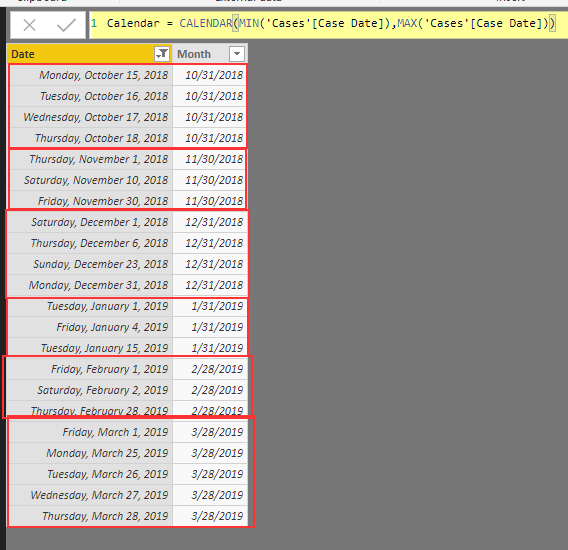
I have a Calendar Table that ranges from 10/15/2018 to 03/28/2019. I wanted to add "Month" as a second column to use as a "Label" for aggregation. I used:
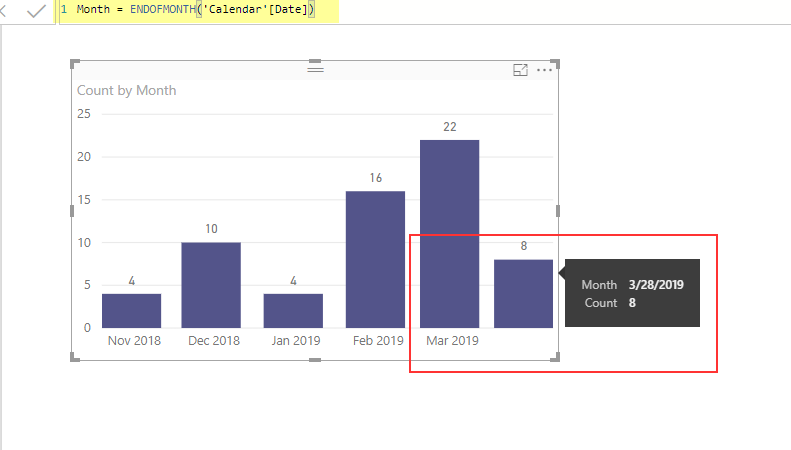
Month= ENDOFMONTH('Calendar'[Date])
When I pull this on to the visual, it misbehaves. I know this function has a scope of Current Context and that is fine with me in this case. What I don't understand is why Labels are "Offset" by a month?
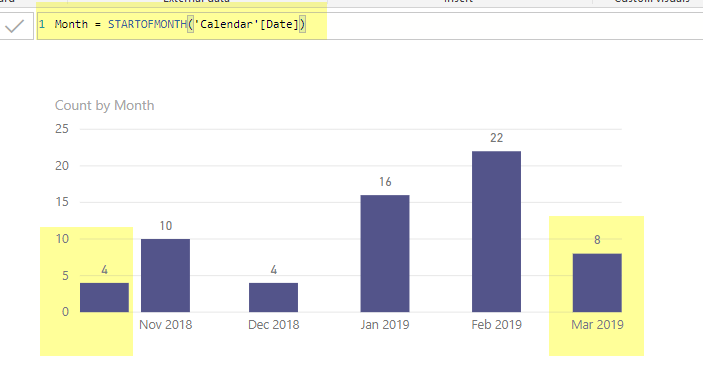
I tried to change it from:
Month= ENDOFMONTH('Calendar'[Date]) to Month= STARTOFMONTH('Calendar'[Date])This did fix my Latest month, but it also moved the first month.
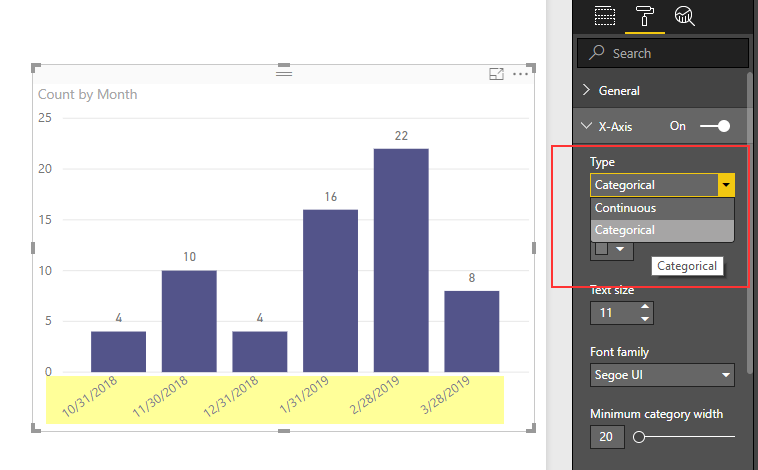
Furthermore, changing TYPE of X-Axis does fix the issue by changing the Label Format; however that's not something I like to have.
Any expert opinion what's going on here? or is it a known issue or bug?
Don't miss out on Data Days, June 15 through August 7. Learn Fabric, Power BI, SQL, AI and more.
Check out the May 2026 Power BI update to learn about new features.
| User | Count |
|---|---|
| 23 | |
| 21 | |
| 20 | |
| 18 | |
| 13 |
| User | Count |
|---|---|
| 58 | |
| 51 | |
| 38 | |
| 31 | |
| 26 |