cancel
Showing results for 
Search instead for 
Did you mean: 

Learn from the best! Meet the four finalists headed to the FINALS of the Power BI Dataviz World Championships! Register now

Reply
bonjourposte
Helper V
Helper V

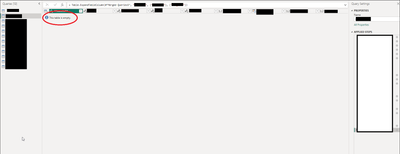
Empty Table??

Has anyone seen this?  It's my fact table, and it's in import mode.  Refreshing doesn't work.

bonjourposte_0-1711039883641.png


1 ACCEPTED SOLUTION
Anonymous
Not applicable

Hi @bonjourposte ,

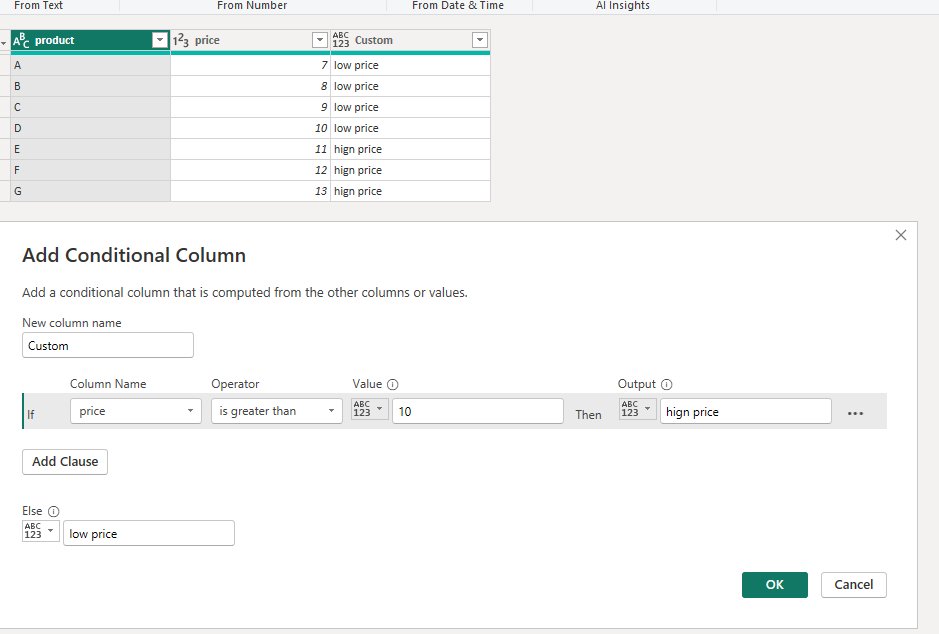
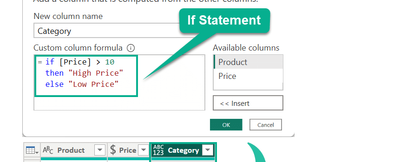
Thanks for @Gabry 's reply. I have something to add. Have you tried using condition column?

vrongtiepmsft_0-1711087085302.png

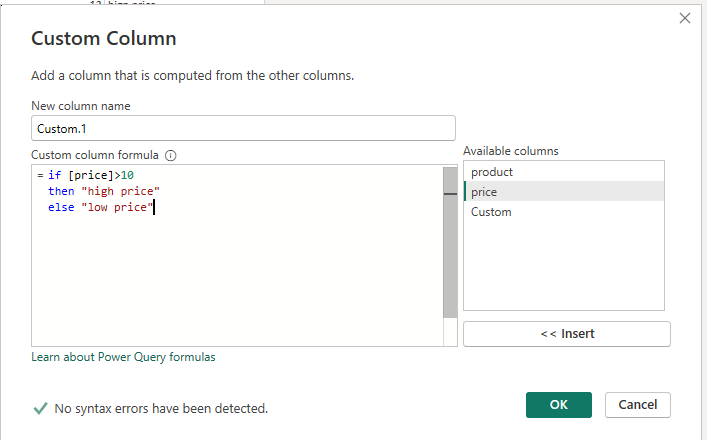
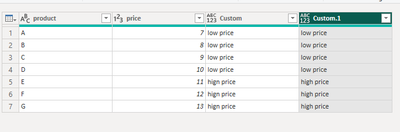
The custom column still works well.

vrongtiepmsft_1-1711087302996.png

vrongtiepmsft_2-1711087328385.png

It seems that you are doing something else in the power query that is causing this error. You can check this by following the applied steps on the right.

Applied steps - Power Query | Microsoft Learn


How to Get Your Question Answered Quickly - Microsoft Fabric Community


If it does not help, please provide more details with your desired output and pbix file without privacy information (or some sample data) .


Best Regards
Community Support Team _ Rongtie

If this post helps, then please consider Accept it as the solution to help the other members find it more quickly.


View solution in original post

4 REPLIES 4
Anonymous
Not applicable

Hi @bonjourposte ,

Thanks for @Gabry 's reply. I have something to add. Have you tried using condition column?

vrongtiepmsft_0-1711087085302.png

The custom column still works well.

vrongtiepmsft_1-1711087302996.png

vrongtiepmsft_2-1711087328385.png

It seems that you are doing something else in the power query that is causing this error. You can check this by following the applied steps on the right.

Applied steps - Power Query | Microsoft Learn


How to Get Your Question Answered Quickly - Microsoft Fabric Community


If it does not help, please provide more details with your desired output and pbix file without privacy information (or some sample data) .


Best Regards
Community Support Team _ Rongtie

If this post helps, then please consider Accept it as the solution to help the other members find it more quickly.


Actually, this solved another problem I had, although I'm still not sure how related it was to my table disappearing from Power Query.  Thanks.

Gabry
Super User
Super User

Did you made manual M scripting?

I had initially yes, why?  I was using this as my model:


bonjourposte_0-1711043095900.png


I ended up just doing a calculated column in the Table view, but I'd be curious if there's a connection.


Helpful resources

Announcements
New to Fabric survey Carousel

New to Fabric Survey

If you have recently started exploring Fabric, we'd love to hear how it's going. Your feedback can help with product improvements.

Power BI DataViz World Championships carousel

Power BI DataViz World Championships - June 2026

A new Power BI DataViz World Championship is coming this June! Don't miss out on submitting your entry.

Join our Fabric User Panel

Join our Fabric User Panel

Share feedback directly with Fabric product managers, participate in targeted research studies and influence the Fabric roadmap.

March Power BI Update Carousel

Power BI Community Update - March 2026

Check out the March 2026 Power BI update to learn about new features.