Join us at FabCon Atlanta from March 16 - 20, 2026, for the ultimate Fabric, Power BI, AI and SQL community-led event. Save $200 with code FABCOMM.
Register now!Learn from the best! Meet the four finalists headed to the FINALS of the Power BI Dataviz World Championships! Register now
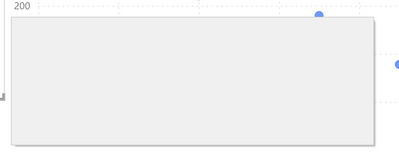
I am seeing entirely blank dialogs - just a grey box, which should be e.g. the confirmation-dialog when I delete a column or table.
I have seen this multiple times lately on at least 2 entirely different computers (work & private, 1x intel integrated gpu and 1x high-end-nvidia in the other, so graphics drivers should not be the cause).
Mouse-interaction works, the cursor changes on hot areas.
Nothing helps then but close and reopen.
Version: 2.103.881.0 64-bit (March 2022) on Win10
Solved! Go to Solution.
It seems this has vanished after some update.
its quite irritating, try clicking on the dialog box, the buttons are still there and if you click on it , it should work, its just guess work locating where it is. Not sure if would help at all but maybe clear your cache? but no idea if that works or not.
Proud to be a Super User!
Share feedback directly with Fabric product managers, participate in targeted research studies and influence the Fabric roadmap.
Check out the February 2026 Power BI update to learn about new features.
| User | Count |
|---|---|
| 61 | |
| 59 | |
| 42 | |
| 18 | |
| 15 |
| User | Count |
|---|---|
| 109 | |
| 101 | |
| 39 | |
| 29 | |
| 29 |