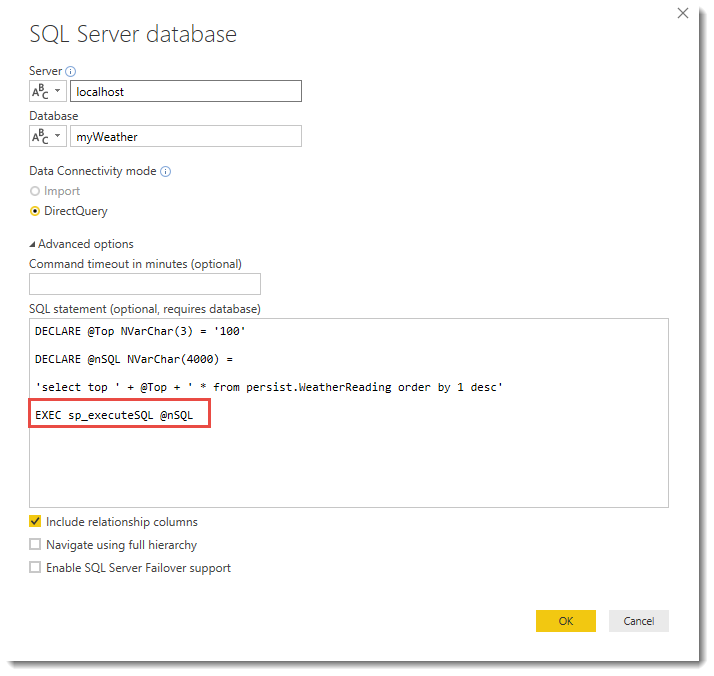
I received the DECLARE error message stating I can't use declare in a Direct Query. I found out in this forum that a user defined function (UDF) is necessary to make this work: https://community.powerbi.com/t5/Desktop/Why-is-DECLARE-not-supported-Error/td-p/40983
I then found out from the error message that I can't have dynamic SQL in a UDF.
"Invalid use of a side-effecting operator 'EXECUTE STRING' within a function."
Are there any other options for getting my query to work in a direct query in Power BI? My query is below:
DECLARE @SQL as VARCHAR(MAX)
DECLARE @Columns AS VARCHAR(MAX)

SELECT @Columns = COALESCE(@Columns + ', ','')+QUOTENAME([MonthYear])
	FROM( SELECT distinct cast([MonthName] as varchar) + ' ''' + right(cast([Year] as varchar),2) AS
				MonthYear, [Year],[Month]
			FROM gpo.dbo.DateDimension A WHERE [Date] between getdate()-365 AND dateadd(month,-1,getdate())) A  order by [Year],[Month]

SET @SQL = '
	WITH PivotData AS
		(
			SELECT distinct
				A.[Client Designated Loc Nm] as Client,
				sum(A.TotalInvoice) as [Total Admin Fee],
				cast([MonthName] as varchar) + '' '''''' + right(cast([Year] as varchar),2) AS MonthYear
			FROM GPO.DBO.SALES A
			INNER JOIN
			GPO.DBO.datedimension B
			ON A.InvoiceDate=B.[Date]
			INNER JOIN
			RXSS.DBO.SupplierContractNbrs C
			ON A.SupplierID=C.SupplierID
			WHERE A.[Status] = ''A'' and C.ActiveReporting = 1 AND B.[Date] >= getdate()-365
			GROUP BY
				A.SupplierID,
				A.[Client Designated Loc Nm],
				A.InvoiceDate,
				B.[MonthName],
				B.[Year],
				B.[MonthYear]
		)
	SELECT * FROM (SELECT Client, ' + @Columns + ' FROM PivotData
	PIVOT
		(
			sum([Total Admin Fee])
			FOR
				[MonthYear]
			IN
				(
					' + @Columns + '
				)
		) AS pvt ) D
		'
EXEC (@SQL)