Join us at FabCon Atlanta from March 16 - 20, 2026, for the ultimate Fabric, Power BI, AI and SQL community-led event. Save $200 with code FABCOMM.
Register now!The Power BI Data Visualization World Championships is back! Get ahead of the game and start preparing now! Learn more
Hi All,
Is it possible to have a dynamic RLS role filter based on the role name itself?
So for example:
Role name = '1677217'
Table filter: ID = [Role name]
Or
Role Name = 'New York'
Table Filter: City = [Role Name] (so New york)
Thanks,
Raf 🙂
HI, @RafDelgado
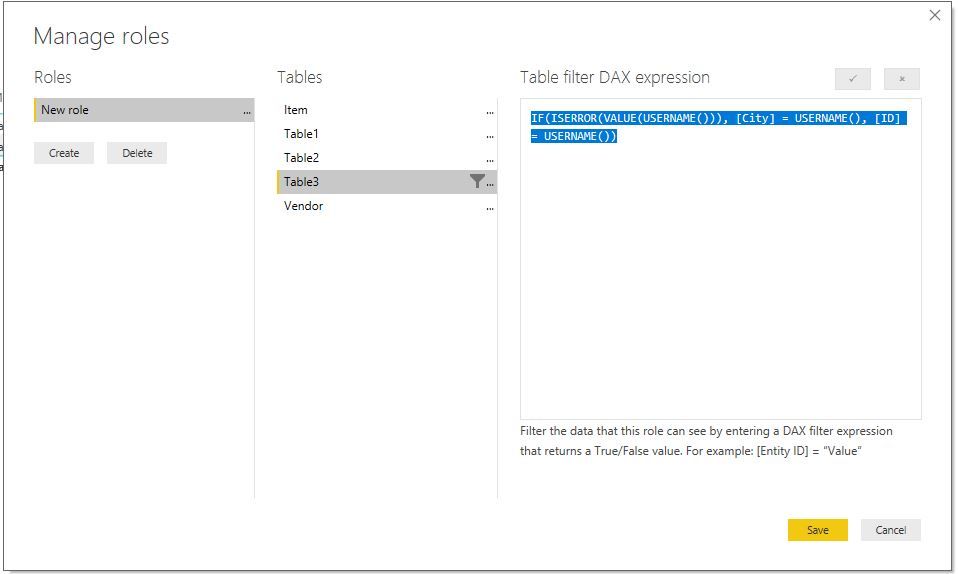
You could try to use conditional that logic as this formula to add a RLS
IF(ISERROR(VALUE(USERNAME())), [City] = USERNAME(), [ID] = USERNAME())
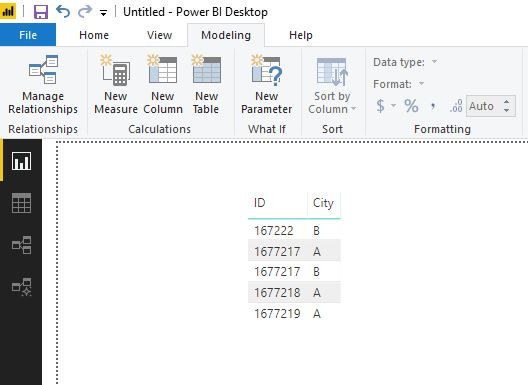
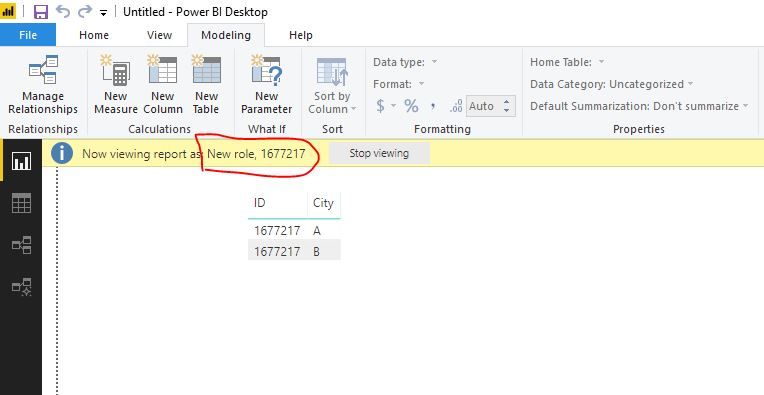
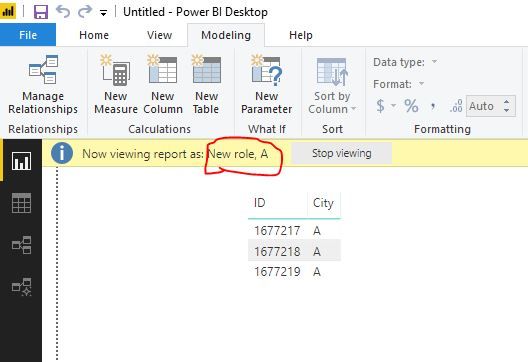
Result:
Basic data
Role name = '1677217'
Role name = 'A'
Here is pbix file. please try it.
Best Regards,
Lin
Hey @v-lili6-msft ,
Thanks so much for the reply.
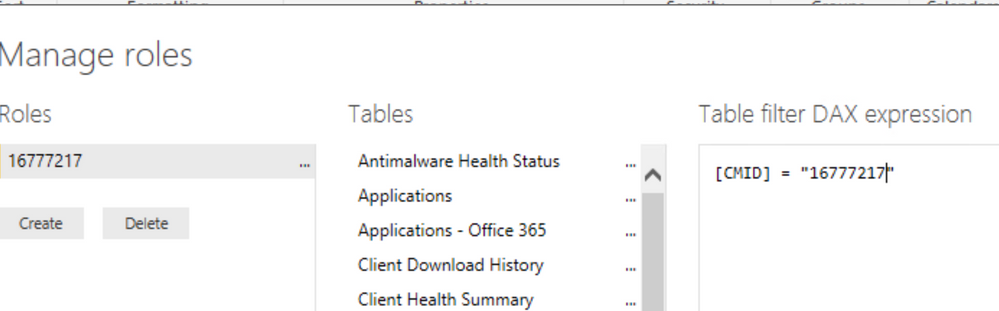
I think I may not have explained it properly, What I would like is something like the below.
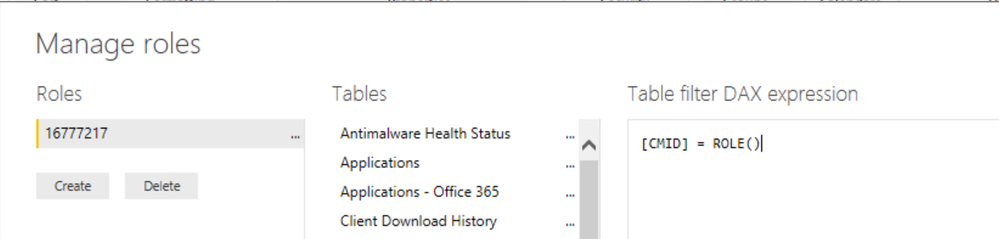
But instead of the DAX expression being filtered on the manually typed 16777217, it uses the name of the role instead.
Meaning I could have mutliple roles with different number ids for what I want to filter but not have to go through each table to change the query.
I have the same issue. Did you solve it?
hi, @RafDelgado
You could refer to this blog:
http://radacad.com/dynamic-row-level-security-with-manager-level-access-in-power-bi
Best Regards,
Lin
The Power BI Data Visualization World Championships is back! Get ahead of the game and start preparing now!
Check out the November 2025 Power BI update to learn about new features.
| User | Count |
|---|---|
| 59 | |
| 43 | |
| 42 | |
| 23 | |
| 17 |
| User | Count |
|---|---|
| 190 | |
| 122 | |
| 96 | |
| 66 | |
| 47 |