Get certified for free when you join Fabric Data Days 2026 and dive into Fabric, Power BI, SQL, AI, and other essential data skills.
Join nowJuly 28 - August 9 | Final Round of the Power BI Dataviz World Championships. This is your chance. Learn more
Hi All,
Is it possible to have a dynamic RLS role filter based on the role name itself?
So for example:
Role name = '1677217'
Table filter: ID = [Role name]
Or
Role Name = 'New York'
Table Filter: City = [Role Name] (so New york)
Thanks,
Raf 🙂
HI, @RafDelgado
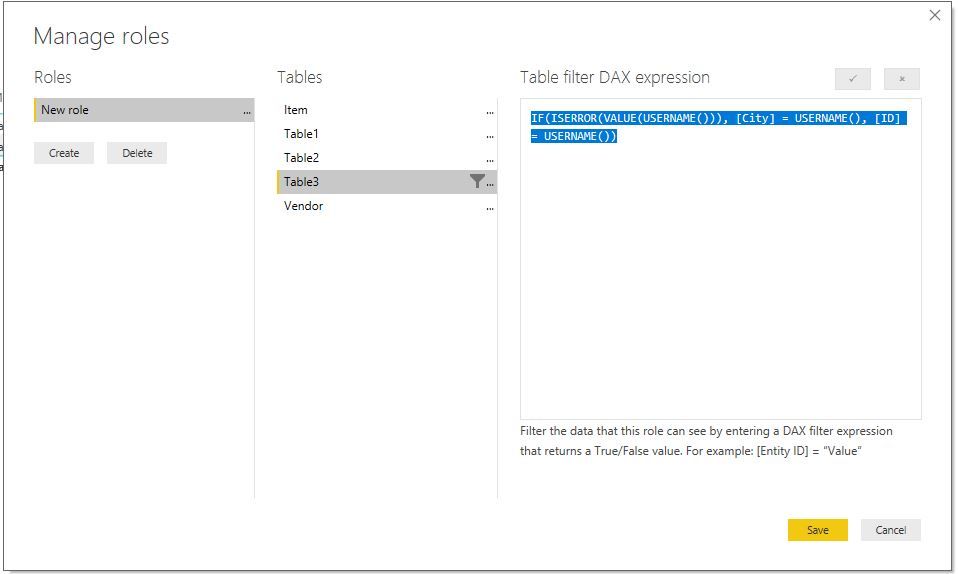
You could try to use conditional that logic as this formula to add a RLS
IF(ISERROR(VALUE(USERNAME())), [City] = USERNAME(), [ID] = USERNAME())
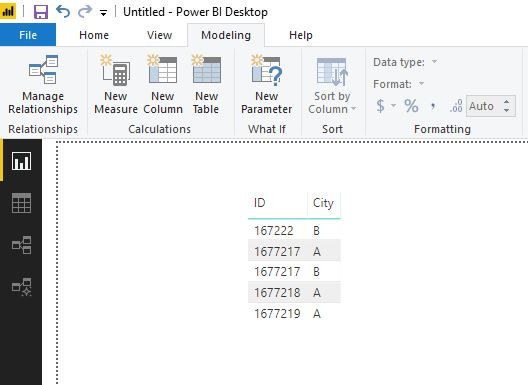
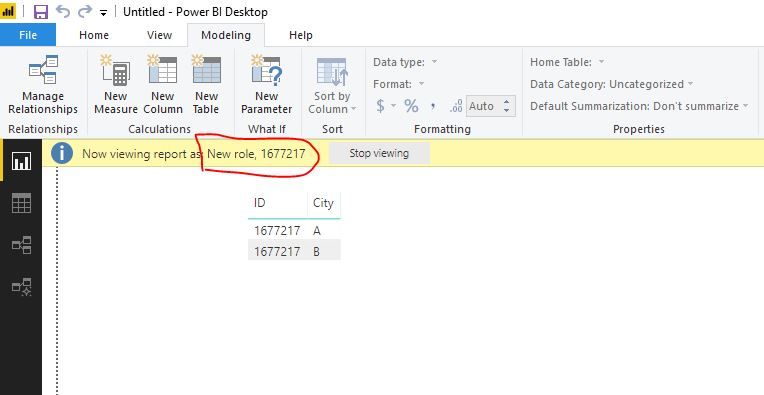
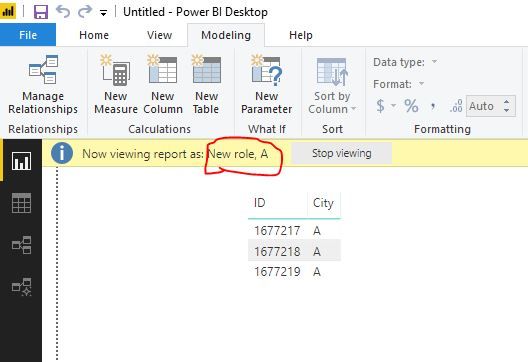
Result:
Basic data
Role name = '1677217'
Role name = 'A'
Here is pbix file. please try it.
Best Regards,
Lin
Hey @v-lili6-msft ,
Thanks so much for the reply.
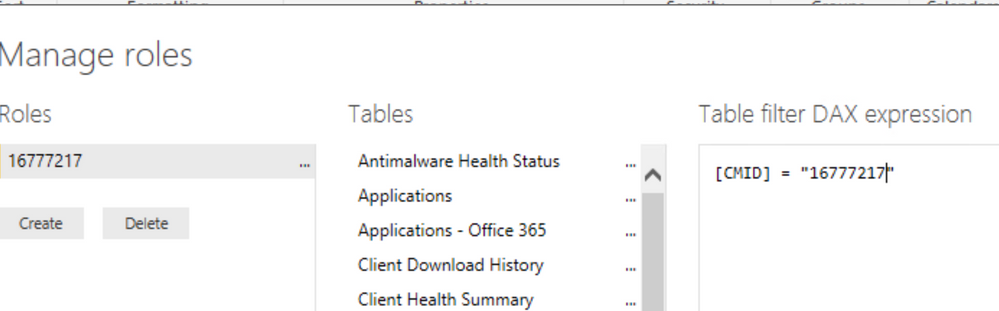
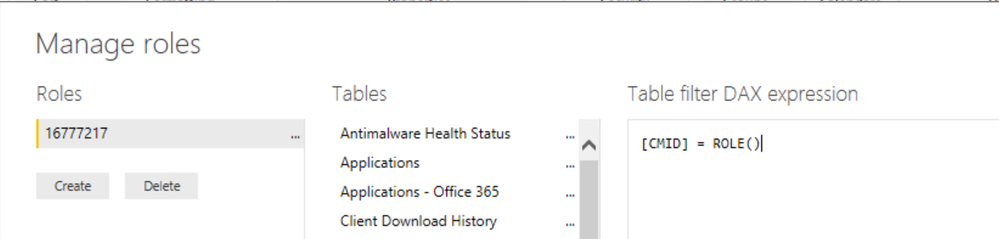
I think I may not have explained it properly, What I would like is something like the below.
But instead of the DAX expression being filtered on the manually typed 16777217, it uses the name of the role instead.
Meaning I could have mutliple roles with different number ids for what I want to filter but not have to go through each table to change the query.
I have the same issue. Did you solve it?
hi, @RafDelgado
You could refer to this blog:
http://radacad.com/dynamic-row-level-security-with-manager-level-access-in-power-bi
Best Regards,
Lin
Join us in Barcelona for FabCon and SQLCon, the Fabric, Power BI, SQL, and AI community event. Save €200 with code FABCMTY200.
If you love stickers, then you will definitely want to check out our community sticker challenge, Barcelona edition!
Check out the July 2026 Power BI update to learn about new features.
| User | Count |
|---|---|
| 25 | |
| 23 | |
| 22 | |
| 17 | |
| 14 |
| User | Count |
|---|---|
| 27 | |
| 24 | |
| 20 | |
| 20 | |
| 19 |