This time we’re going bigger than ever. Fabric, Power BI, SQL, AI and more. We're covering it all. You won't want to miss it.
Learn moreLevel up your Power BI skills this month - build one visual each week and tell better stories with data! Get started
Hi All,
Is it possible to have a dynamic RLS role filter based on the role name itself?
So for example:
Role name = '1677217'
Table filter: ID = [Role name]
Or
Role Name = 'New York'
Table Filter: City = [Role Name] (so New york)
Thanks,
Raf 🙂
HI, @RafDelgado
You could try to use conditional that logic as this formula to add a RLS
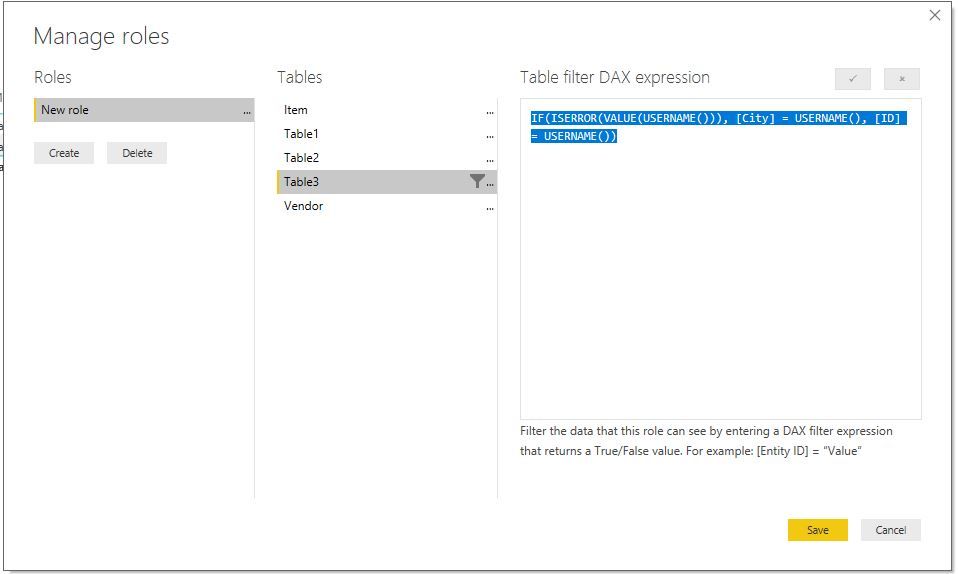
IF(ISERROR(VALUE(USERNAME())), [City] = USERNAME(), [ID] = USERNAME())
Result:
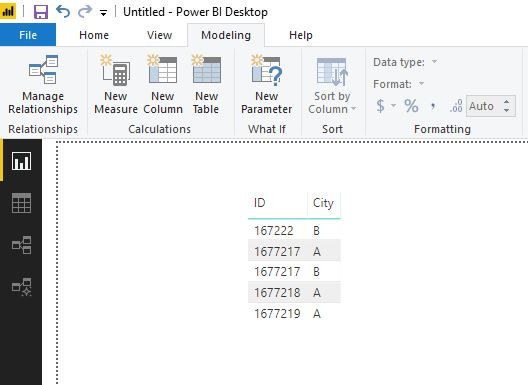
Basic data
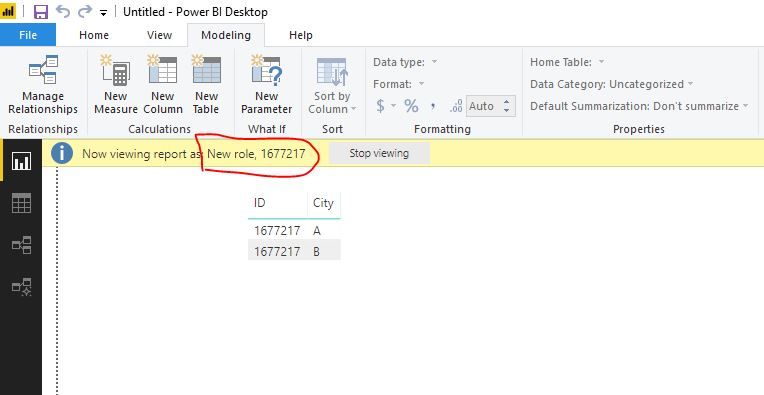
Role name = '1677217'
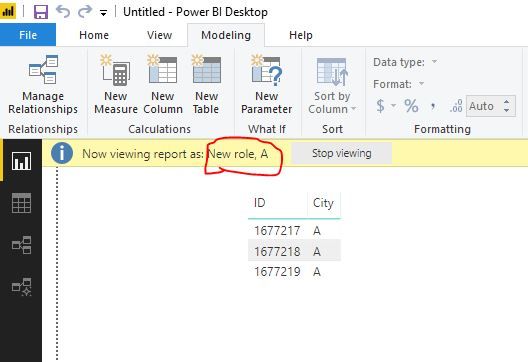
Role name = 'A'
Here is pbix file. please try it.
Best Regards,
Lin
Hey @v-lili6-msft ,
Thanks so much for the reply.
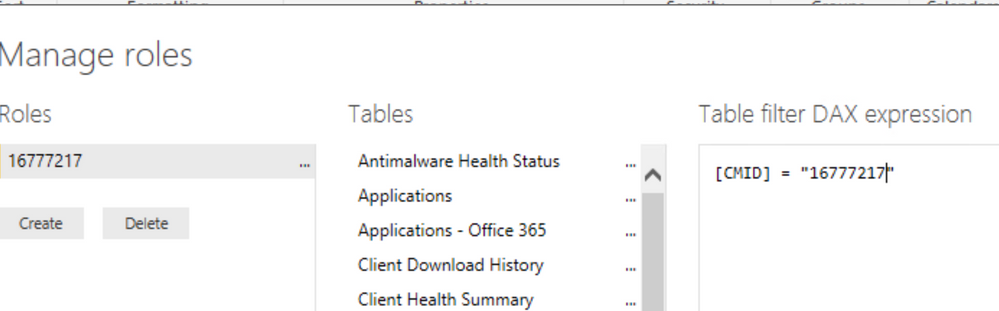
I think I may not have explained it properly, What I would like is something like the below.
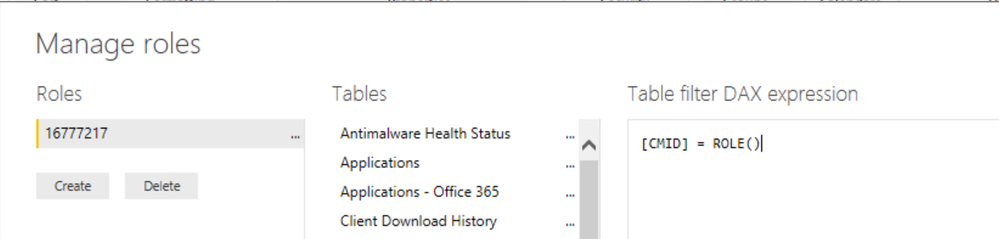
But instead of the DAX expression being filtered on the manually typed 16777217, it uses the name of the role instead.
Meaning I could have mutliple roles with different number ids for what I want to filter but not have to go through each table to change the query.
I have the same issue. Did you solve it?
hi, @RafDelgado
You could refer to this blog:
http://radacad.com/dynamic-row-level-security-with-manager-level-access-in-power-bi
Best Regards,
Lin
Check out the April 2026 Power BI update to learn about new features.
Sign up to receive a private message when registration opens and key events begin.
If you have recently started exploring Fabric, we'd love to hear how it's going. Your feedback can help with product improvements.
| User | Count |
|---|---|
| 36 | |
| 29 | |
| 29 | |
| 21 | |
| 18 |
| User | Count |
|---|---|
| 71 | |
| 43 | |
| 33 | |
| 24 | |
| 23 |