Don't miss your chance to take exam DP-600 or DP-700 on us!
Request nowLearn from the best! Meet the four finalists headed to the FINALS of the Power BI Dataviz World Championships! Register now
Hi,
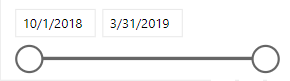
I have a date slicer
I want to select a date range and calculate % change equivalent to the same previous period(days)
eg. if I select 15-31 march I want to compare data with a 1-14 march and then calculate % change
Dimensions - Date and Daily Total Sales
It must be dynamic if I select 45 days then previous 45 days data must be compared with it.
Solved! Go to Solution.
Assuming your slicer is based on a Date table, and the measure you want to evaluate is [YourMeasure], you can write a measure that looks something like this:
Change from Prior Period % =
VAR MinDate =
MIN ( 'Date'[Date] )
VAR NumDaysSelected =
COUNTROWS ( 'Date' )
// Alternatively MaxDate - MinDate + 1
VAR CurrentMeasure = [YourMeasure]
VAR PreviousMeasure =
CALCULATE (
[YourMeasure],
DATESINPERIOD ( 'Date'[Date], MinDate - 1, - NumDaysSelected, DAY )
)
RETURN
DIVIDE ( CurrentMeasure, PreviousMeasure ) - 1
The key feature is using DATESINPERIOD to create a date filter of the same number of days ending the day before the selected period.
Regards,
Owen
Assuming your slicer is based on a Date table, and the measure you want to evaluate is [YourMeasure], you can write a measure that looks something like this:
Change from Prior Period % =
VAR MinDate =
MIN ( 'Date'[Date] )
VAR NumDaysSelected =
COUNTROWS ( 'Date' )
// Alternatively MaxDate - MinDate + 1
VAR CurrentMeasure = [YourMeasure]
VAR PreviousMeasure =
CALCULATE (
[YourMeasure],
DATESINPERIOD ( 'Date'[Date], MinDate - 1, - NumDaysSelected, DAY )
)
RETURN
DIVIDE ( CurrentMeasure, PreviousMeasure ) - 1
The key feature is using DATESINPERIOD to create a date filter of the same number of days ending the day before the selected period.
Regards,
Owen
Share feedback directly with Fabric product managers, participate in targeted research studies and influence the Fabric roadmap.
Check out the February 2026 Power BI update to learn about new features.
| User | Count |
|---|---|
| 54 | |
| 47 | |
| 39 | |
| 16 | |
| 15 |
| User | Count |
|---|---|
| 83 | |
| 71 | |
| 39 | |
| 29 | |
| 27 |