Learn from the best! Meet the four finalists headed to the FINALS of the Power BI Dataviz World Championships! Register now
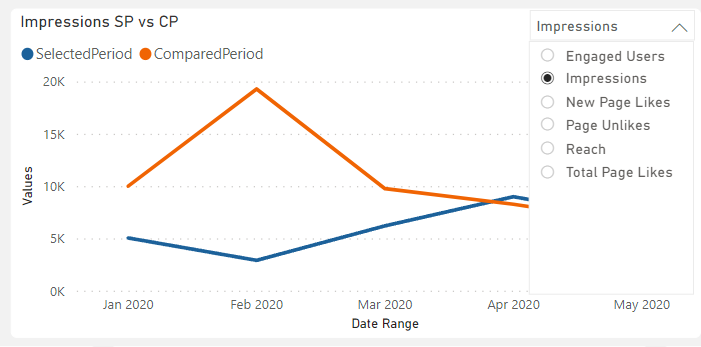
Hi community can someone help me on how do i create a drop down menu like this on a visual that lets me choose different values i want to see and compare. Thanks
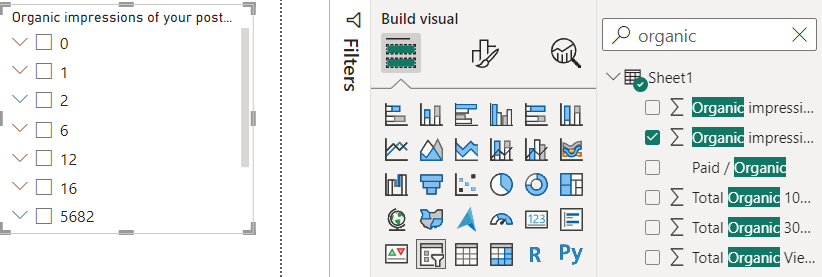
Hi when i try to create the slicer i dont get the list for example like yours with the product line i get mine with values like this
Hi @lisratkoceri ,
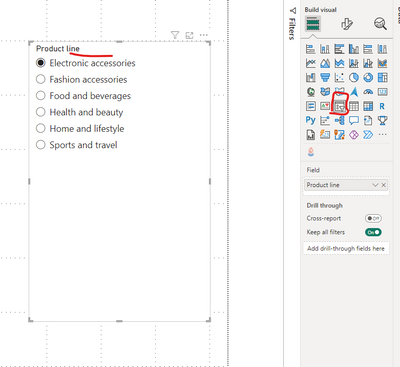
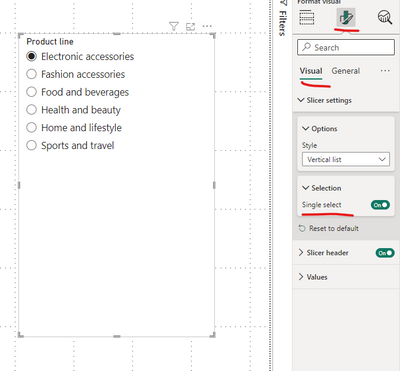
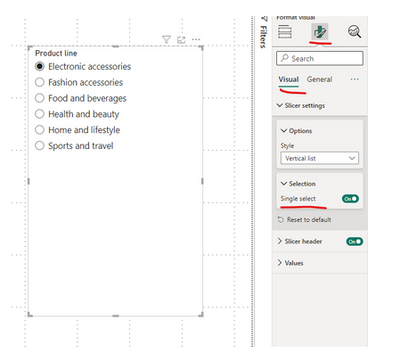
You can add a slicer visual to your report page to get this done. I made the slicer single select.
Then you can use this slicer visual to interact with your chart:
Hope this helps.
Im still having this problem down below i posted it as a comment didnt know i wasnt replying
Still getting the same results
Hi @lisratkoceri ,
I don't know what data you are looking for. You are moving a numeric column to the slicer now. Try moving a categorical column from your data.
May be Paid/Organic column as per your screenshot about the data.
Yes that may be the case since im trying to filter numeric values
Hi @lisratkoceri ,
Yes try using categorical column and also check your requirement what you really want.
| User | Count |
|---|---|
| 50 | |
| 36 | |
| 27 | |
| 17 | |
| 16 |
| User | Count |
|---|---|
| 70 | |
| 58 | |
| 38 | |
| 22 | |
| 21 |