Don't miss your chance to take exam DP-600 or DP-700 on us!
Request nowLearn from the best! Meet the four finalists headed to the FINALS of the Power BI Dataviz World Championships! Register now
I have the following data:
Table of Sellers
Saller_ID,Client_ID,Region
1,1,North
1,2,North
1,3,South
2,4,North
3,5,West
4,6,East
5,7,East
5,8,East
6,9,South
7,10,South
8,11,South
Table of Clients
Client_ID
1
2
3
4
5
6
7
8
9
10
11
I want to produce the following chart:
Region Distinct Count of Client_ID
North 2
South 4
West 1
East 2
But I'm getting this as result:
Region Distinct Count of Client_ID
North 3
South 4
West 1
East 3
How can I distinct count ID by Region using a measure?
Solved! Go to Solution.
Well you either want Distinct Sellers or you have the data reversed
(meaning data in Seller_ID column should be in Client_ID and vice versa)
Distinct Sellers = DISTINCTCOUNT ( 'Sellers Table'[Seller_ID] )
@Anonymous
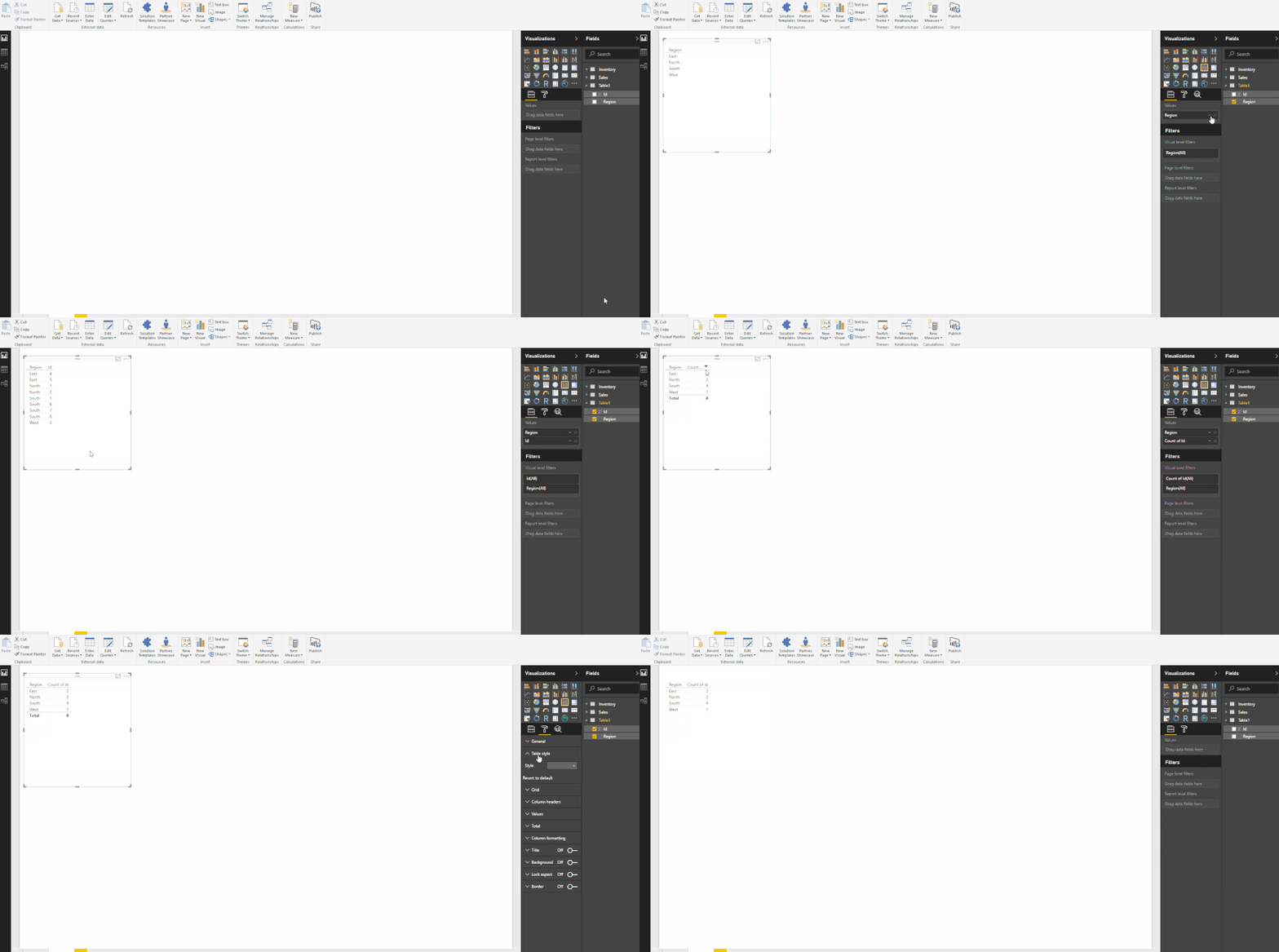
Hi Friend, Look the Image Please
Hi @Vvelarde, I forgot to mention that I need to do it using a measure. Can you help me?
@Anonymous
Hi, try this:
TheMeasure = DISTINCTCOUNT(Table1[Id])
Well you either want Distinct Sellers or you have the data reversed
(meaning data in Seller_ID column should be in Client_ID and vice versa)
Distinct Sellers = DISTINCTCOUNT ( 'Sellers Table'[Seller_ID] )
Share feedback directly with Fabric product managers, participate in targeted research studies and influence the Fabric roadmap.
Check out the February 2026 Power BI update to learn about new features.
| User | Count |
|---|---|
| 51 | |
| 40 | |
| 37 | |
| 14 | |
| 14 |
| User | Count |
|---|---|
| 84 | |
| 69 | |
| 38 | |
| 29 | |
| 27 |