cancel
Showing results for 
Search instead for 
Did you mean: 

The Power BI Data Visualization World Championships is back! Get ahead of the game and start preparing now! Learn more

Reply
Syndicate_Admin
Administrator
Administrator

Display graph data with filter

Hello

I have a question regarding a Graph.

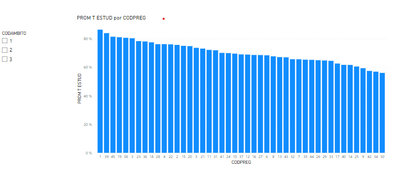
I want to make a Bar Chart with all the questions that the students answered in my survey, however, there are too many and the bar graph is not understood. What I would like is that the Graph is built from the filter you put, so that you can choose the group of questions you want to see.

How can I build the Graph so that, at the beginning it looks blank and is with the filter shows the data?

3 REPLIES 3
Syndicate_Admin
Administrator
Administrator

Hello

Thank you very much for your answer, I created the measure you recommended, however, I do not know how to enter it in the graph, since when I put it in the fields, the graph still appears.

AndreaGD_0-1682604941996.png

Can you show me the measure please? Thanks

PabloDeheza
Solution Sage
Solution Sage

Hi @Syndicate_Admin !
In your measure you can try using the function ISFILTERED. So:

IF(
    ISFILTERED( CategoryToFilter ),
    ValueToDisplay,
    BLANK()
)

Let me know if that helps!

Helpful resources

Announcements
Power BI DataViz World Championships

Power BI Dataviz World Championships

The Power BI Data Visualization World Championships is back! Get ahead of the game and start preparing now!

December 2025 Power BI Update Carousel

Power BI Monthly Update - December 2025

Check out the December 2025 Power BI Holiday Recap!

FabCon Atlanta 2026 carousel

FabCon Atlanta 2026

Join us at FabCon Atlanta, March 16-20, for the ultimate Fabric, Power BI, AI and SQL community-led event. Save $200 with code FABCOMM.