Join us at FabCon Atlanta from March 16 - 20, 2026, for the ultimate Fabric, Power BI, AI and SQL community-led event. Save $200 with code FABCOMM.
Register now!The Power BI Data Visualization World Championships is back! It's time to submit your entry. Live now!
Hello
I have a question regarding a Graph.
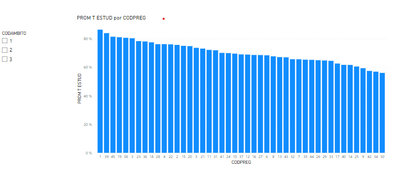
I want to make a Bar Chart with all the questions that the students answered in my survey, however, there are too many and the bar graph is not understood. What I would like is that the Graph is built from the filter you put, so that you can choose the group of questions you want to see.
How can I build the Graph so that, at the beginning it looks blank and is with the filter shows the data?
Hello
Thank you very much for your answer, I created the measure you recommended, however, I do not know how to enter it in the graph, since when I put it in the fields, the graph still appears.
Can you show me the measure please? Thanks
Hi @Syndicate_Admin !
In your measure you can try using the function ISFILTERED. So:
IF(
ISFILTERED( CategoryToFilter ),
ValueToDisplay,
BLANK()
)
Let me know if that helps!
The Power BI Data Visualization World Championships is back! It's time to submit your entry.
Check out the January 2026 Power BI update to learn about new features.
| User | Count |
|---|---|
| 71 | |
| 45 | |
| 34 | |
| 28 | |
| 23 |
| User | Count |
|---|---|
| 143 | |
| 121 | |
| 59 | |
| 40 | |
| 33 |