cancel
Showing results for 
Search instead for 
Did you mean: 

The Power BI Data Visualization World Championships is back! It's time to submit your entry. Live now!

Reply
Syndicate_Admin
Administrator
Administrator

Display graph data with filter

Hello

I have a question regarding a Graph.

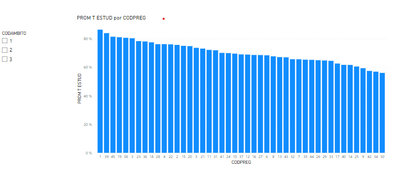
I want to make a Bar Chart with all the questions that the students answered in my survey, however, there are too many and the bar graph is not understood. What I would like is that the Graph is built from the filter you put, so that you can choose the group of questions you want to see.

How can I build the Graph so that, at the beginning it looks blank and is with the filter shows the data?

3 REPLIES 3
Syndicate_Admin
Administrator
Administrator

Hello

Thank you very much for your answer, I created the measure you recommended, however, I do not know how to enter it in the graph, since when I put it in the fields, the graph still appears.

AndreaGD_0-1682604941996.png

Can you show me the measure please? Thanks

PabloDeheza
Solution Sage
Solution Sage

Hi @Syndicate_Admin !
In your measure you can try using the function ISFILTERED. So:

IF(
    ISFILTERED( CategoryToFilter ),
    ValueToDisplay,
    BLANK()
)

Let me know if that helps!

Helpful resources

Announcements
December 2025 Power BI Update Carousel

Power BI Monthly Update - December 2025

Check out the December 2025 Power BI Holiday Recap!

FabCon Atlanta 2026 carousel

FabCon Atlanta 2026

Join us at FabCon Atlanta, March 16-20, for the ultimate Fabric, Power BI, AI and SQL community-led event. Save $200 with code FABCOMM.