
This time we’re going bigger than ever. Fabric, Power BI, SQL, AI and more. We're covering it all. You won't want to miss it.
Learn moreDid you hear? There's a new SQL AI Developer certification (DP-800). Start preparing now and be one of the first to get certified. Register now
Hello:
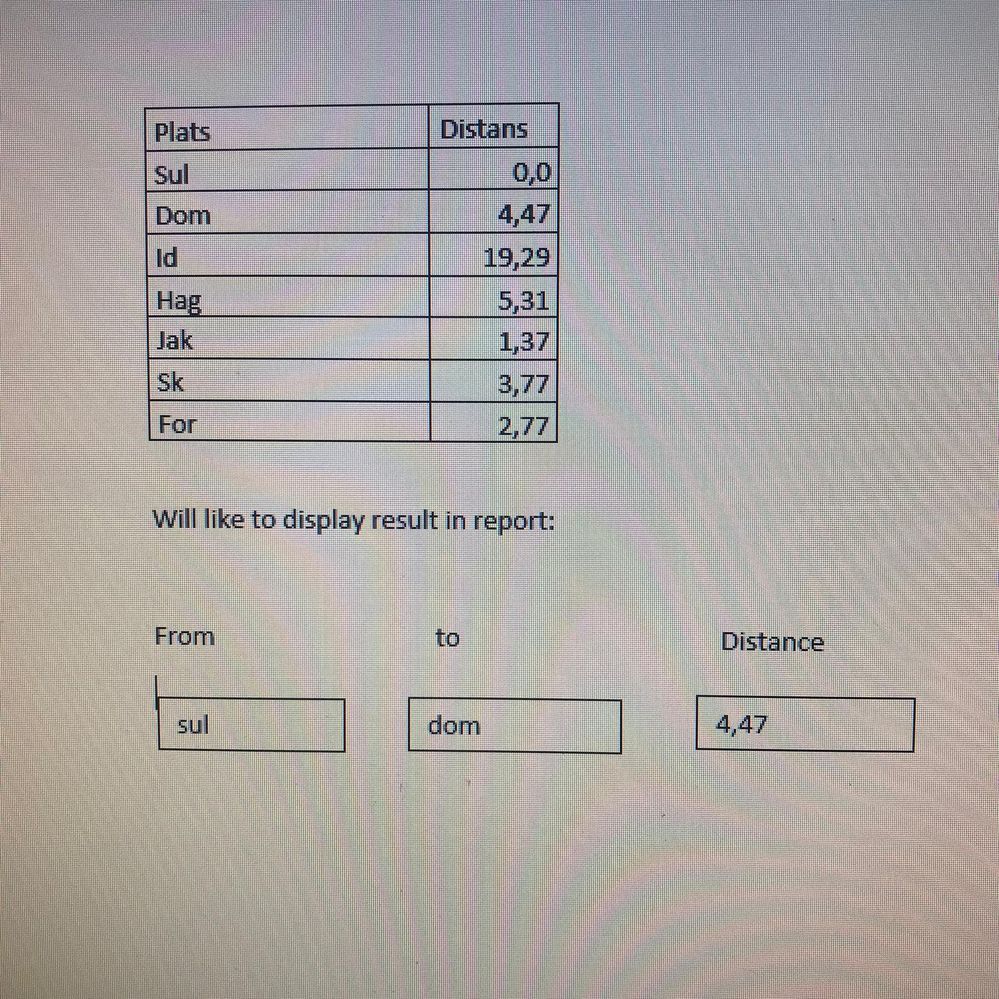
Here is an example dataset with two column. Distance column shows difference of distance from place "Sul" to "Dom" =4,47 and same from place "Dom" to "id" =19,29.
I like to show the same result in my report.
User can chose from Drop down " sul" to "Dom" and find distance "4,47". same with othe places
Can some body help me to solve this problem?
with regards
Solved! Go to Solution.
Hi @mohsin-raza ,
Are your distance always based on the SUL to the other location?
If yes you just need to do the following:
Whenthe users change the value on the slicer the card will change accordingly.
Regards
Miguel Félix
Proud to be a Super User!
Check out my blog: Power BI em PortuguêsHi @mohsin-raza ,
Here are the steps you can follow:
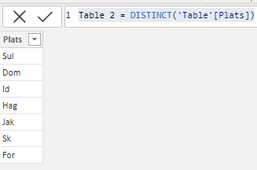
1. Create calculated table.
Table 2 = DISTINCT('Table'[Plats])
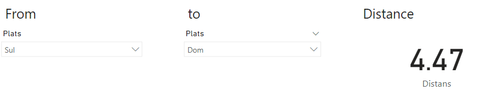
2. Place the [Plats] of Table2 into the first slicer and the [Plats] of Table1 into the second slicer. And put [Distans] of Table1 into Card.
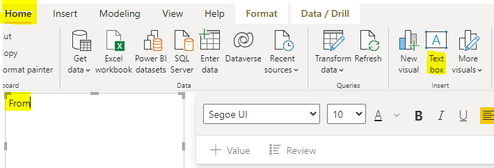
3. Home – Text box, create three Text boxes respectively, write From, to, Distance.
4. Result:
Best Regards,
Liu Yang
If this post helps, then please consider Accept it as the solution to help the other members find it more quickly
Hi @mohsin-raza ,
Are your distance always based on the SUL to the other location?
If yes you just need to do the following:
Whenthe users change the value on the slicer the card will change accordingly.
Regards
Miguel Félix
Proud to be a Super User!
Check out my blog: Power BI em PortuguêsCheck out the April 2026 Power BI update to learn about new features.
Sign up to receive a private message when registration opens and key events begin.
If you have recently started exploring Fabric, we'd love to hear how it's going. Your feedback can help with product improvements.
| User | Count |
|---|---|
| 34 | |
| 31 | |
| 30 | |
| 21 | |
| 16 |
| User | Count |
|---|---|
| 61 | |
| 50 | |
| 30 | |
| 23 | |
| 23 |