
Share feedback directly with Fabric product managers, participate in targeted research studies and influence the Fabric roadmap.
Sign up nowGet Fabric certified for FREE! Don't miss your chance! Learn more
Hello:
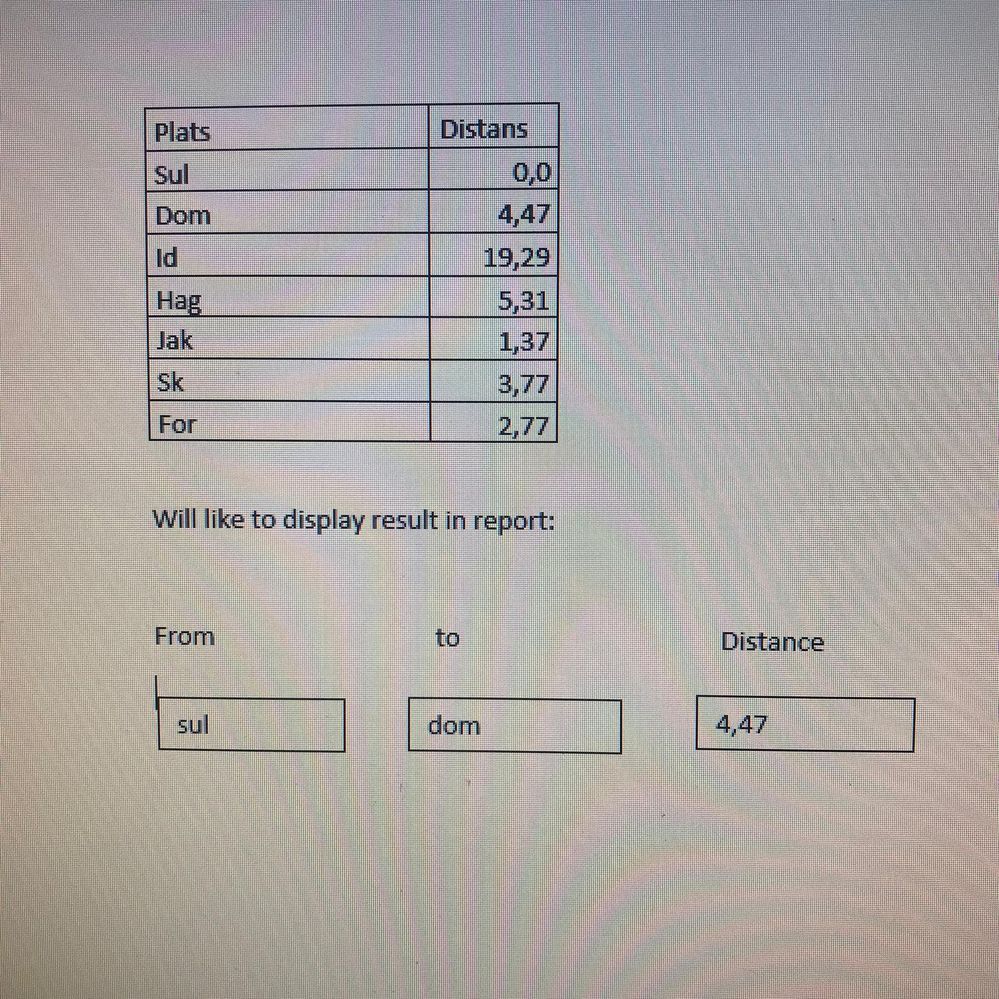
Here is an example dataset with two column. Distance column shows difference of distance from place "Sul" to "Dom" =4,47 and same from place "Dom" to "id" =19,29.
I like to show the same result in my report.
User can chose from Drop down " sul" to "Dom" and find distance "4,47". same with othe places
Can some body help me to solve this problem?
with regards
Solved! Go to Solution.
Hi @mohsin-raza ,
Are your distance always based on the SUL to the other location?
If yes you just need to do the following:
Whenthe users change the value on the slicer the card will change accordingly.
Regards
Miguel Félix
Proud to be a Super User!
Check out my blog: Power BI em PortuguêsHi @mohsin-raza ,
Here are the steps you can follow:
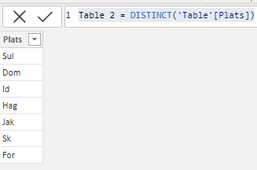
1. Create calculated table.
Table 2 = DISTINCT('Table'[Plats])
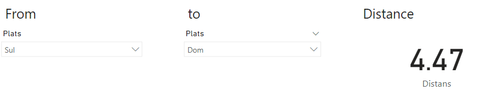
2. Place the [Plats] of Table2 into the first slicer and the [Plats] of Table1 into the second slicer. And put [Distans] of Table1 into Card.
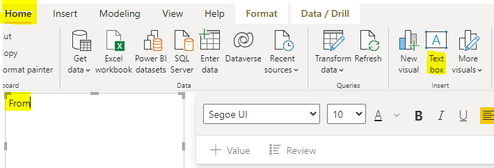
3. Home – Text box, create three Text boxes respectively, write From, to, Distance.
4. Result:
Best Regards,
Liu Yang
If this post helps, then please consider Accept it as the solution to help the other members find it more quickly
Hi @mohsin-raza ,
Are your distance always based on the SUL to the other location?
If yes you just need to do the following:
Whenthe users change the value on the slicer the card will change accordingly.
Regards
Miguel Félix
Proud to be a Super User!
Check out my blog: Power BI em PortuguêsIf you love stickers, then you will definitely want to check out our Community Sticker Challenge!
Check out the January 2026 Power BI update to learn about new features.
| User | Count |
|---|---|
| 64 | |
| 63 | |
| 49 | |
| 21 | |
| 18 |
| User | Count |
|---|---|
| 122 | |
| 118 | |
| 38 | |
| 36 | |
| 29 |