Don't miss your chance to take the Fabric Data Engineer (DP-600) exam for FREE! Find out how by attending the DP-600 session on April 23rd (pacific time), live or on-demand.
Learn moreNext up in the FabCon + SQLCon recap series: The roadmap for Microsoft SQL and Maximizing Developer experiences in Fabric. All sessions are available on-demand after the live show. Register now
Hi all,
I have been using dataverse as my data source. In the homepage, i did some filter condition on a table which is a direct query table from dataverse.
The formula works, and i am able to get my expected result. However, after i publish, in my power bi service, i am getting an error. and after i re-open the desktop version,i received error as below:
DirectQuery error: DirectQuery may not be used with this data source - please consider moving to a supported data source or upgrading the sql server data source to the latest available version.
how do i fix this? i thought dataverse would work perfectly with directquery
To resolve the issue in PowerBi service follow below steps.
1) Go to Dataset Settings
2) Clik on Edit credentials Under Data Source Credentials and Provide DB credentials.
3) Now refresh the dataset and validate the report.
As per Microsoft for Cloud data source Gateway connection is not needed.
Hi, @kilala
Ensure that you have checked the settings page of the report's dataset in the Power BI service to see if a gateway configuration or credential editing is necessary.
Filter condition on a table in a DQ mode maybe a limitation.
remove the transformation and see if that works.
https://learn.microsoft.com/en-us/power-bi/connect-data/desktop-use-directquery
Proud to be a Super User!
Hi,
i didnt do any transformation directly to the table.
I just created some measures to achieve below objective:
i have a navigation menu:
1. summary
2. details
3. admin
role admin can be navigate by admin only. Hence, following below article,
https://www.linkedin.com/pulse/enable-disable-button-specific-users-powerbi-keith-fernandes/
i created some measures to detect what is the user role, and then configure the actions when they click on the navigation menu.
it works fine when i test in desktop but when i save and re-open, that error occur. i noticed that i have to wait for some time and then choose Optimize -->Refresh visuals then only it would work.
but the same error will happen when i publish it and i dont think my client is willing to wait just to navigate to page.
i hope any one can chip in any idea on this.or maybe other workaround i can try to achieve the objective apart from article shared?
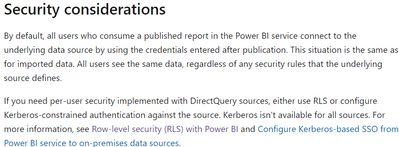
Hey, try to use RLS as an alternative approach.
refer: https://learn.microsoft.com/en-us/power-bi/connect-data/desktop-use-directquery
Proud to be a Super User!
If you have recently started exploring Fabric, we'd love to hear how it's going. Your feedback can help with product improvements.
A new Power BI DataViz World Championship is coming this June! Don't miss out on submitting your entry.
Share feedback directly with Fabric product managers, participate in targeted research studies and influence the Fabric roadmap.
| User | Count |
|---|---|
| 48 | |
| 43 | |
| 39 | |
| 19 | |
| 17 |
| User | Count |
|---|---|
| 69 | |
| 63 | |
| 32 | |
| 30 | |
| 23 |