This time we’re going bigger than ever. Fabric, Power BI, SQL, AI and more. We're covering it all. You won't want to miss it.
Learn moreLevel up your Power BI skills this month - build one visual each week and tell better stories with data! Get started
Hello , I´m a bit new to Power Query and would love some help with achieving the requirements for a certain dashboard.
I have a Requests Table where I have the attributes:
RequestId | Continent | Country | City
1 Europe Spain Madrid
2 Europe Spain Madrid
3 Europe France Paris
4 Europe France Paris
5 Europe Spain Valencia
6 America USA Madrid
I would like to have a ring chart with only the top 2 'places' that have made requests, where 'places' are the concatenantion of Continent | Country | City. For this small example the ring chart would have 2 (count of) requests for Europe | Spain | Madrid, and 2 (count of) requests for Europe | France | Paris. The data import mode is made by DirectQuery.
Thank you.
Hi @JpSantos_
I presume you want this in DAX as that is the topic name? You mention Power Query, which is different to DAX.
Download this PBIX file with solution.
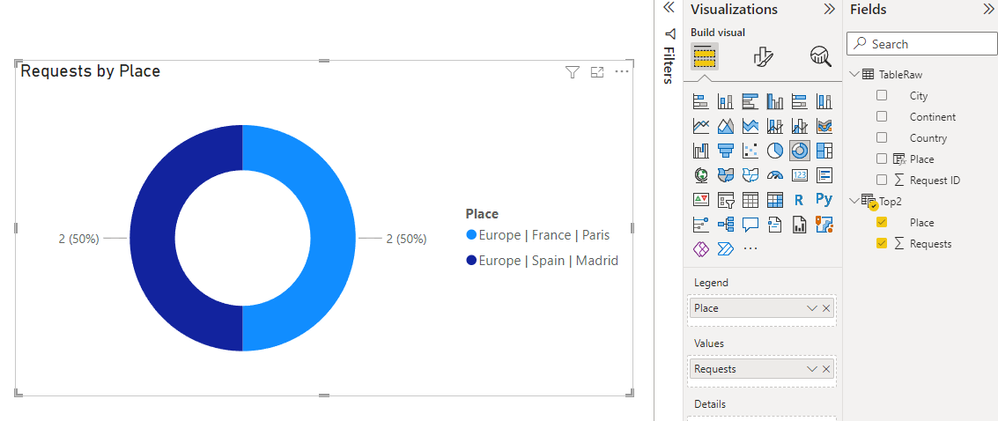
To do what you want, create a column in your data table that concatenates the continent, country and city
Place = [Continent] & " | " & [Country] & " | " & [City]
Then create a new table with TOPN that lists just the top 2
Top2 =
TOPN(
2,
SUMMARIZE(
'TableRaw',
'TableRaw'[Place],
"Requests",
COUNT('TableRaw'[Request ID])
),
[Requests]
)
Then create your visual from the new table
Regards
Phil
Proud to be a Super User!
Hi @PhilipTreacy
Thanks for the repply!
Yes I would want the solution in DAX. The problem is that the import mode is in DirectQuery ( in fact it is an Hybrid Table) and it doesn´t let me create calculated columns that way. So I'm not sure how I can achieve concatenating the "Place" without calculated columns. Any ideias?
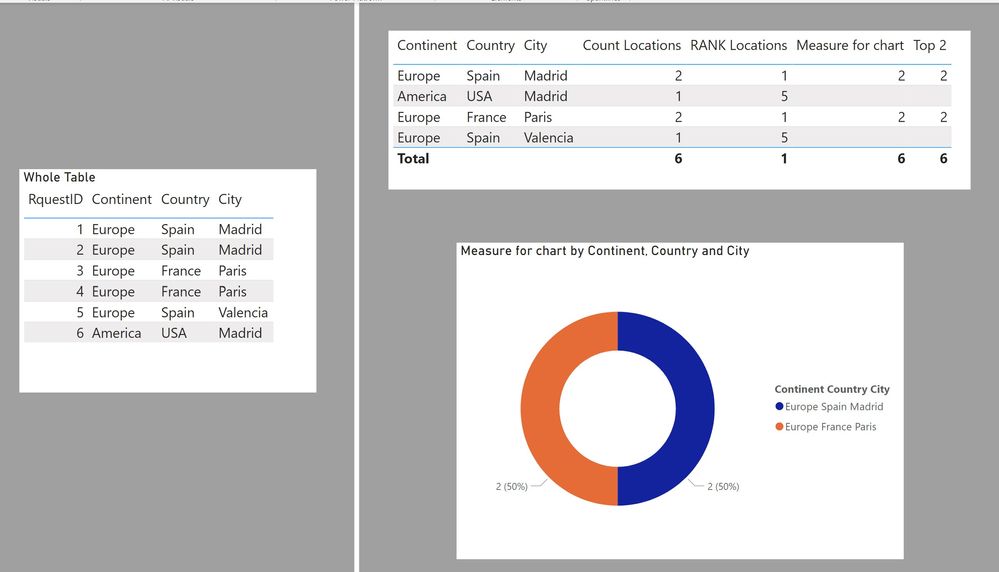
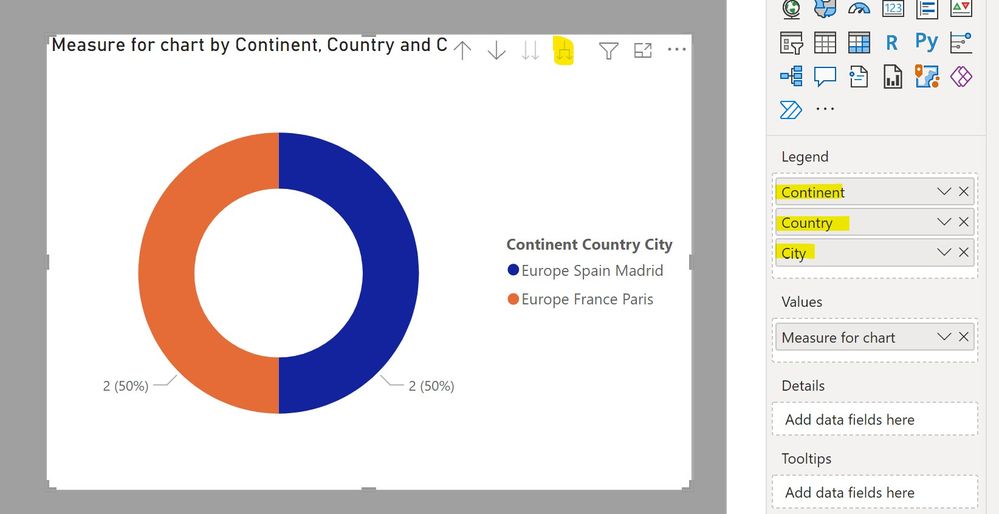
Here is a way:
(My table is named 'Locations')
Using these measures:
Count Locations =
CALCULATE (
COUNTROWS ( Locations ),
ALLEXCEPT (
Locations,
Locations[Continent],
Locations[Country],
Locations[City]
)
)
RANK Locations =
RANKX ( ALL ( Locations ), [Count Locations],, DESC, SKIP )
Measure for chart =
IF([RANK Locations] <=2, [Count Locations])
or if you'd rather only have it in one measure:
Top 2 =
IF (
RANKX (
ALL ( Locations ),
CALCULATE (
COUNTROWS ( Locations ),
ALLEXCEPT (
Locations,
Locations[Continent],
Locations[Country],
Locations[City]
)
),
,
DESC,
SKIP
) <= 2,
CALCULATE (
COUNTROWS ( Locations ),
ALLEXCEPT (
Locations,
Locations[Continent],
Locations[Country],
Locations[City]
)
)
)
Proud to be a Super User!
Paul on Linkedin.
Check out the April 2026 Power BI update to learn about new features.
Sign up to receive a private message when registration opens and key events begin.
If you have recently started exploring Fabric, we'd love to hear how it's going. Your feedback can help with product improvements.
| User | Count |
|---|---|
| 30 | |
| 24 | |
| 23 | |
| 17 | |
| 16 |
| User | Count |
|---|---|
| 61 | |
| 35 | |
| 30 | |
| 23 | |
| 22 |