Hey,
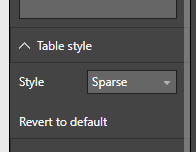
I use this JSON scheme to create a custom table style:
{"name":"nameOfScheme"
    ,"dataColors":["#43D3E8","#E86232","#9B4507","#46B29D","#324D5C","#FC4F71","#324DBF","#D9D9D9"]
	,"background":"#FFFFFF"
    ,"foreground": "#324D5C"
    ,"tableAccent": "#324D5C"
    ,"visualStyles":
    {"*":
        {"*":
            {"*":
                [{
                    "fontSize":14
                    ,"fontFamily":"Segoe UI"
                    ,"color":{"solid":{"color":"#324D5C"}}
                }]
                ,"general":
                    [{
                        "responsive":true
                    }]
                ,"plotArea":
                    [{
                        "transparency":50
                    }]
            }
        }
	}
}
Here you will find a the theme generator:
https://powerbi.tips/tools/report-theme-generator-v3/
And here is some guidance how to use custom themes:
https://docs.microsoft.com/en-us/power-bi/desktop-report-themes
Hopefully this is what you are looking for
Regards
Tom
Did I answer your question? Mark my post as a solution, this will help others!
Proud to be a Super User!
I accept Kudos 😉
Hamburg, Germany