
This time we’re going bigger than ever. Fabric, Power BI, SQL, AI and more. We're covering it all. You won't want to miss it.
Learn moreDid you hear? There's a new SQL AI Developer certification (DP-800). Start preparing now and be one of the first to get certified. Register now
Is it possible to modify the labeling on an axis?
For example, I have a line chart with quantities on the y-axis and iso week numbers on the x-axis. Instead of displaying the week number (1, 2, 3, etc.), I want to display months (January, February, March, etc.). Here's the rub: I still want to analyze by week.
If you can help me figure this out, I'll be grateful!
Solved! Go to Solution.
Hi @Anonymous
You can add a Month Column and use Dirll up and Drill down operation.
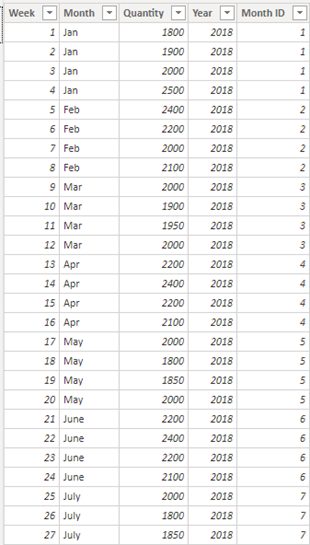
Table:
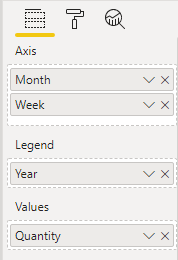
Drag Month Column into Axis:
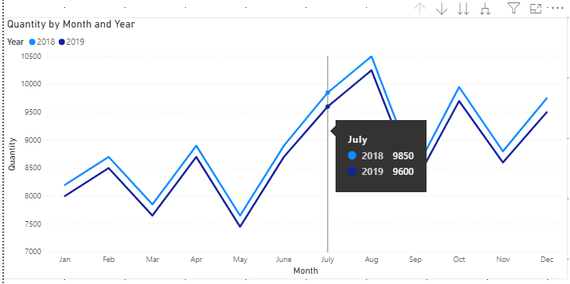
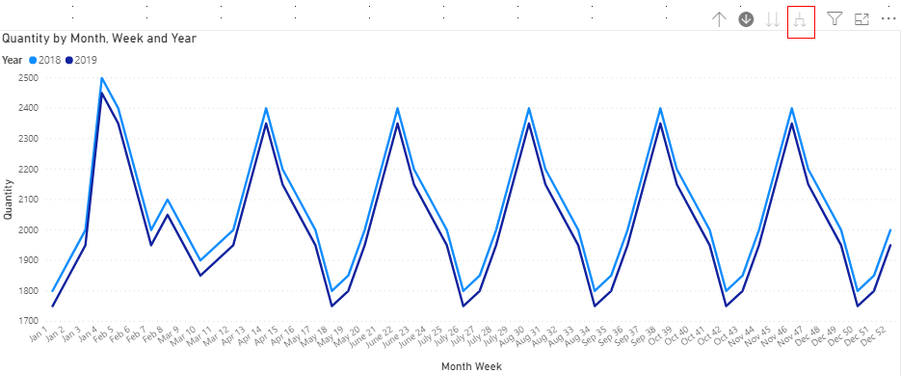
Result:
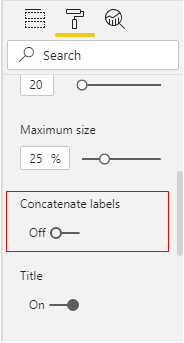
Then we need to turn off Concatenate labels in X axis.
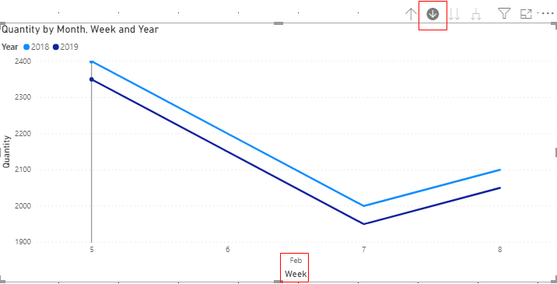
Trun on the Drill Mode and Click the Month we want to search:
Or Click here to see all data in this visual:
You can download the pbix file form this link:
Best Regards,
Rico Zhou
If this post helps, then please consider Accept it as the solution to help the other members find it more quickly.
Hi @Anonymous
You can add a Month Column and use Dirll up and Drill down operation.
Table:
Drag Month Column into Axis:
Result:
Then we need to turn off Concatenate labels in X axis.
Trun on the Drill Mode and Click the Month we want to search:
Or Click here to see all data in this visual:
You can download the pbix file form this link:
Best Regards,
Rico Zhou
If this post helps, then please consider Accept it as the solution to help the other members find it more quickly.
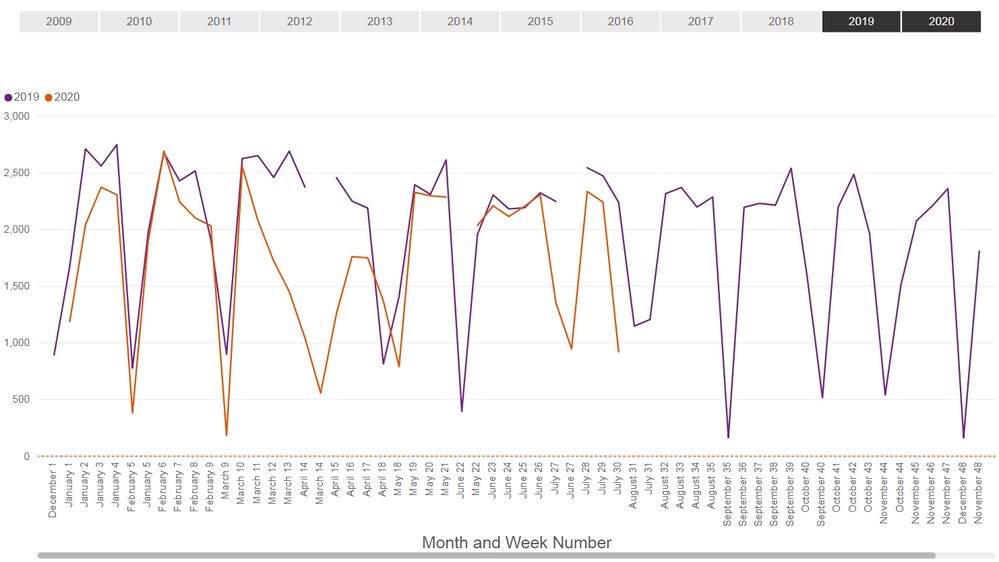
Thank you for your help, @Anonymous! Your solution worked for the issue I had, but now I have a new problem: my graph breaks apart. Do you (or anyone else) have any thoughts on how to fix it?
Hi @Anonymous
You may build a calendar.
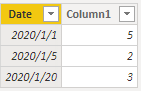
Here I have a test. Firstly I build a calendar table(date) as below:
You can download the pbix file form this link:
Best Regards,
Rico Zhou
If this post helps, then please consider Accept it as the solution to help the other members find it more quickly.
Hi @Anonymous ,
I am having similar issue. I was trying to access the pbix files which you posted both of them are not working.
could you plz share the pbix file .
thanks
Check out the April 2026 Power BI update to learn about new features.
Sign up to receive a private message when registration opens and key events begin.
If you have recently started exploring Fabric, we'd love to hear how it's going. Your feedback can help with product improvements.
| User | Count |
|---|---|
| 34 | |
| 31 | |
| 25 | |
| 20 | |
| 16 |
| User | Count |
|---|---|
| 61 | |
| 49 | |
| 28 | |
| 23 | |
| 23 |