
This time we’re going bigger than ever. Fabric, Power BI, SQL, AI and more. We're covering it all. You won't want to miss it.
Learn moreLevel up your Power BI skills this month - build one visual each week and tell better stories with data! Get started
Is it possible to modify the labeling on an axis?
For example, I have a line chart with quantities on the y-axis and iso week numbers on the x-axis. Instead of displaying the week number (1, 2, 3, etc.), I want to display months (January, February, March, etc.). Here's the rub: I still want to analyze by week.
If you can help me figure this out, I'll be grateful!
Solved! Go to Solution.
Hi @Anonymous
You can add a Month Column and use Dirll up and Drill down operation.
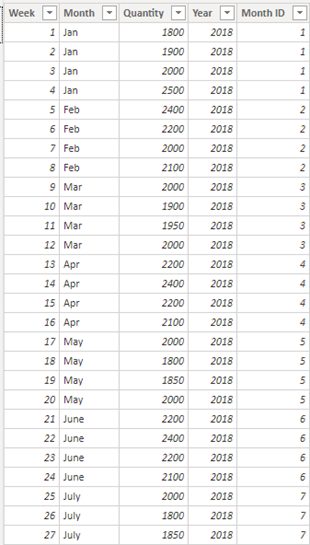
Table:
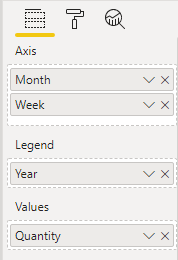
Drag Month Column into Axis:
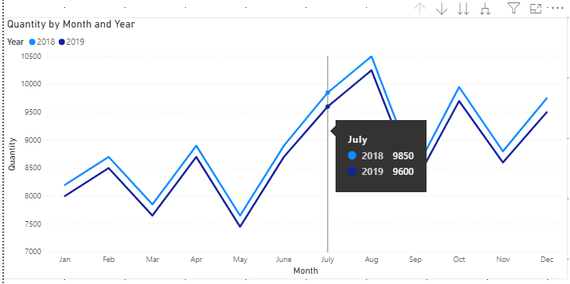
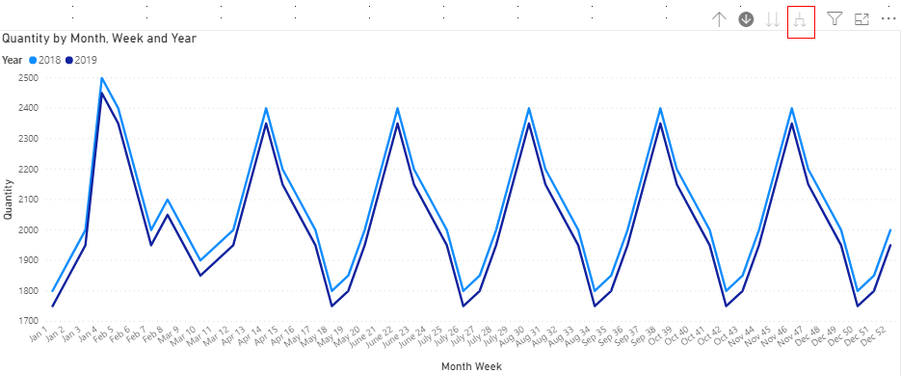
Result:
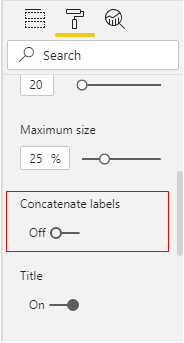
Then we need to turn off Concatenate labels in X axis.
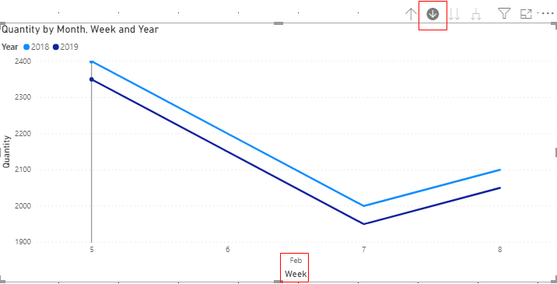
Trun on the Drill Mode and Click the Month we want to search:
Or Click here to see all data in this visual:
You can download the pbix file form this link:
Best Regards,
Rico Zhou
If this post helps, then please consider Accept it as the solution to help the other members find it more quickly.
Hi @Anonymous
You can add a Month Column and use Dirll up and Drill down operation.
Table:
Drag Month Column into Axis:
Result:
Then we need to turn off Concatenate labels in X axis.
Trun on the Drill Mode and Click the Month we want to search:
Or Click here to see all data in this visual:
You can download the pbix file form this link:
Best Regards,
Rico Zhou
If this post helps, then please consider Accept it as the solution to help the other members find it more quickly.
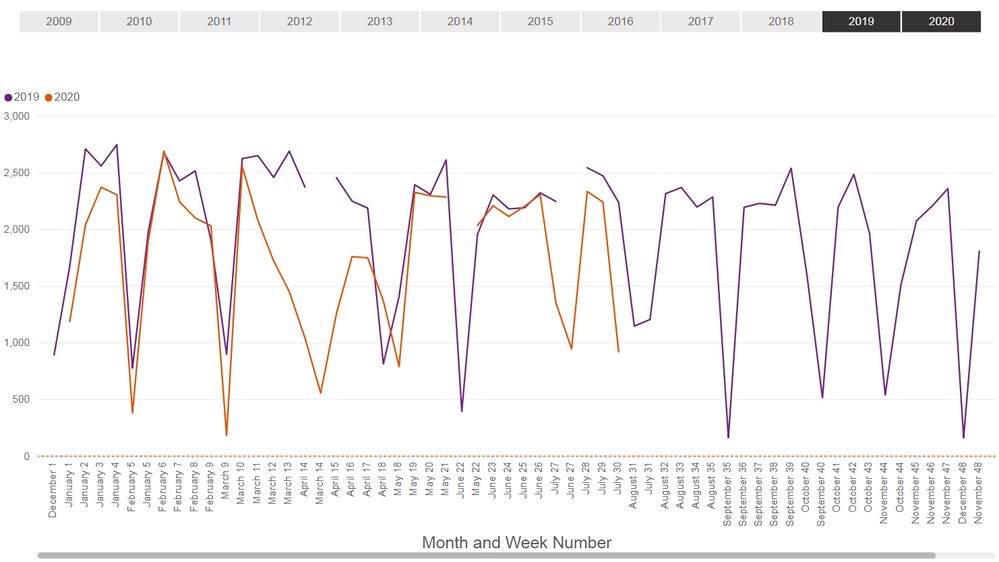
Thank you for your help, @Anonymous! Your solution worked for the issue I had, but now I have a new problem: my graph breaks apart. Do you (or anyone else) have any thoughts on how to fix it?
Hi @Anonymous
You may build a calendar.
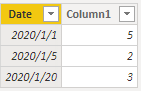
Here I have a test. Firstly I build a calendar table(date) as below:
You can download the pbix file form this link:
Best Regards,
Rico Zhou
If this post helps, then please consider Accept it as the solution to help the other members find it more quickly.
Hi @Anonymous ,
I am having similar issue. I was trying to access the pbix files which you posted both of them are not working.
could you plz share the pbix file .
thanks
Check out the April 2026 Power BI update to learn about new features.
Sign up to receive a private message when registration opens and key events begin.
If you have recently started exploring Fabric, we'd love to hear how it's going. Your feedback can help with product improvements.
| User | Count |
|---|---|
| 37 | |
| 29 | |
| 29 | |
| 21 | |
| 18 |
| User | Count |
|---|---|
| 68 | |
| 39 | |
| 33 | |
| 24 | |
| 23 |