Get certified for free when you join Fabric Data Days 2026 and dive into Fabric, Power BI, SQL, AI, and other essential data skills.
Join nowTry your skills in the Power BI Dataviz World Championship! Round one ends June 26. Join now
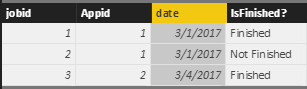
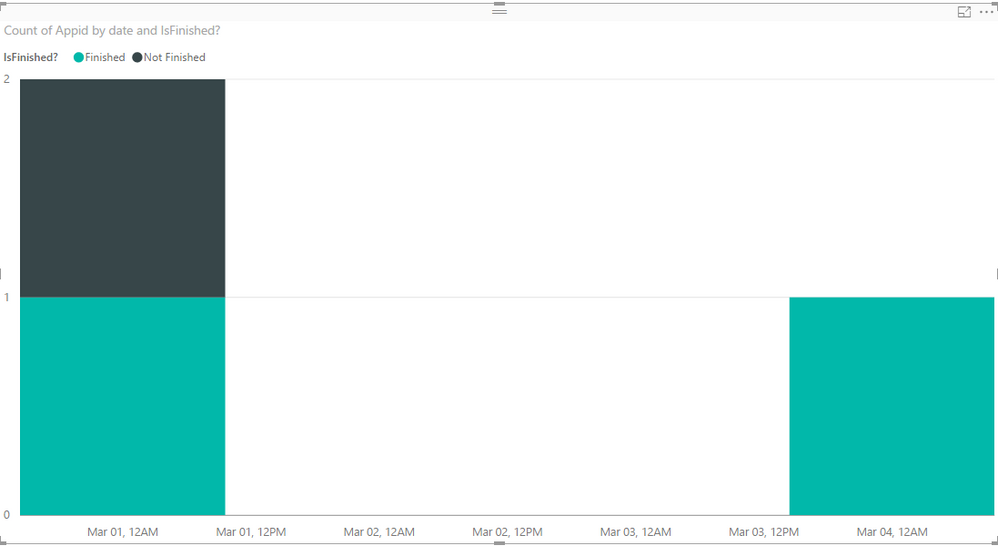
I have two tables namely App and Job. I am creating a graph that shows whether the job was finished/unfinished.
I would like to display the x-axis such that it shows the last fifteen days. I can't use the filter functionality of power bi since I would have to change the current date everyday. How can I make it to where it updates itself ? Any ideas?
Update: Here's what I have done so far but it's still not giving me what I want. I have created a calculated column:
LastFifteen = TODAY() - date. Doing this diaplays only the dates that the in the table. For instance, I do not have a record on 24th of Feb, but I would still like to display 24th of Feb on my x-axis because it falls in the last 15 days range. How can I do that?
Solved! Go to Solution.
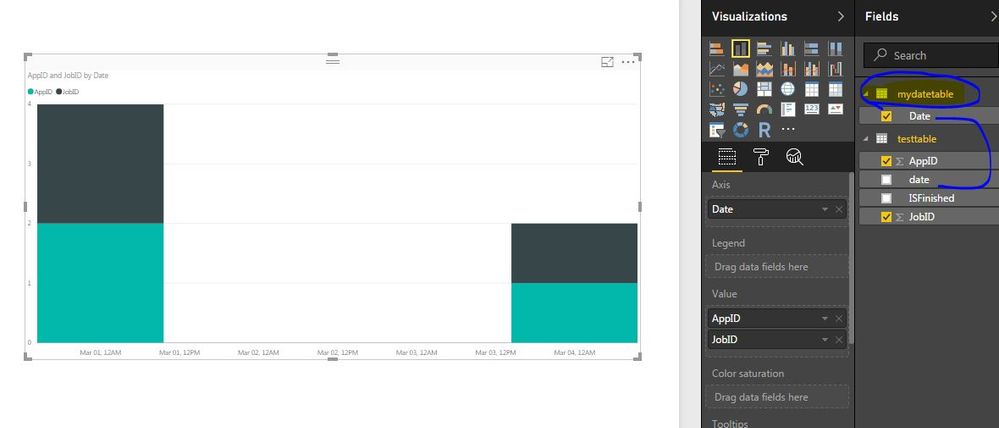
I created a custom table with the help of calender function, then I created relation with date column from custom table to original table date column.
May be you can create a custom table like below and make relation with date column.
mydatetable = CALENDAR(TODAY()-15,TODAY())
I would appreciate if you can provide an example. I am still confused. Please see my updated post.
Hi @sieed,
Have your tried the solution provided by rocky09? I just verified that it should work in your scenario.![]()
1. Use the formula below to create an individual Calendar table.
Calendar = CALENDAR(TODAY()-15,TODAY())
2. Create a relationship between your Job table and the created Calendar table with the date column.
3. Use the date column from Calendar table as the Axis for the Chart on report.
Regards
I created a custom table with the help of calender function, then I created relation with date column from custom table to original table date column.
Don't miss out on Data Days, June 15 through August 7. Learn Fabric, Power BI, SQL, AI and more.
Check out the May 2026 Power BI update to learn about new features.
| User | Count |
|---|---|
| 24 | |
| 22 | |
| 21 | |
| 20 | |
| 14 |
| User | Count |
|---|---|
| 59 | |
| 53 | |
| 41 | |
| 31 | |
| 31 |