Don't miss your chance to take exam DP-600 or DP-700 on us!
Request nowLearn from the best! Meet the four finalists headed to the FINALS of the Power BI Dataviz World Championships! Register now
Hello ,
Please assist me with my new report,
I would like to have the possability to change visuals by using switch button:
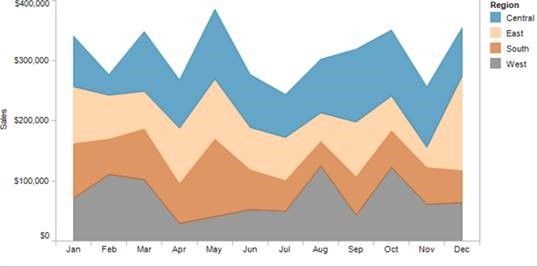
1. The chart by default is stacked area chart
2. Using a switch, I shall be able to change the chart to be Line Chart.
(Data stays the same)
Thank you.
Hi @Noak,
I'm afraid that this requirement is not supported in PowerBI desktop currently. There is no such a interactive feature for end users to change visual type with a switch button.
Thanks,
Yuliana Gu
Hi Noak,
Is it possible using Power BI Developer ar any other way that you can suggest?
Thanks,
Neeraj
Hi @NeerajSetia
Only way to do that is with links, unfortunately the platform doesn't offer (yet) the mentioned feature.
Hi @Noak Does PowerBI support any linking features? For example, a feature I want is to be able to click on a PowerBI tile and have it replaced with a new tile. Specifically, I'm looking for any features that will allow me to navigate my PowerBI data much more easily.
Thanks 🙂
Hi @Berty
You can "switch" between visuals by using the bookmark function and then have an image linking to the bookmark (where you have selected your desired visuals).
Have a look at this link https://www.youtube.com/watch?v=_Afcj8mT5_Q
afk
Hi
Is it possible using Power BI Developer ar any other way that you can suggest?
Thanks,
Neeraj
Share feedback directly with Fabric product managers, participate in targeted research studies and influence the Fabric roadmap.
Check out the February 2026 Power BI update to learn about new features.
| User | Count |
|---|---|
| 51 | |
| 40 | |
| 37 | |
| 14 | |
| 14 |
| User | Count |
|---|---|
| 85 | |
| 69 | |
| 38 | |
| 29 | |
| 27 |