This is best Fabric, Power BI, SQL and AI community event. How do we know? The last event sold out! Save €200 with code FABCMTY200.
Register nowA new Data Days event is coming soon! This time we’re going bigger than ever. Fabric, Power BI, SQL, AI and more. Don't miss out.
I am having a hard time connecting with Python 3.8.3. It gives me an error, and I think it is because in my detected python home directories I cannot acess the APPDATA folder that houses python, hence issue with my path.
how do I access the folder even I am showing all hidden files?
it is visible when I go through my windows explorer, but not when I am going through my power bi desktop
Solved! Go to Solution.
I got it working, the issue was that i am using a remote desktop and had to ensure matplotlib and numpy were installed using a command window in the remore desktop. it works now
Hi @salman_ali ,
Glad to hear the issue is solved. You can accept your reply as solution, that way, other community members could easily find the answer when they get same issues.
Best Regards,
Yingjie Li
Where is your Python directory? Mine is in:
C:\Users\gdeckler\AppData\Local\Programs\Python\Python38-32
Of course, looks like I am probably running 3.8? Python is my new favorite language BTW, 🙂
Thanks Greg,
this is where my python is directory
C:\\Users\\salman_ali\\AppData\\Local\\Programs\\Python\\Python38-32
I don't know how to access it through power_bi, as I cannot see this folder when I try to browse
Wait, why do you have double backslashes?
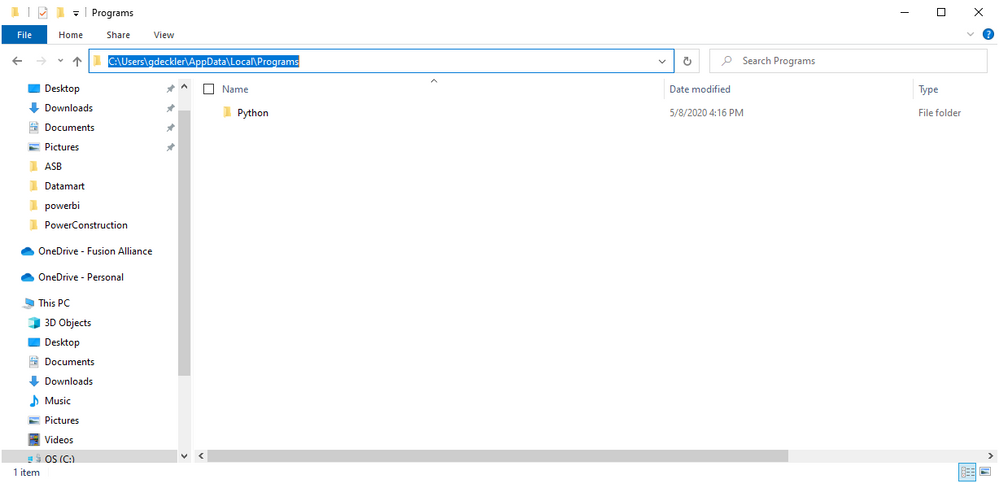
Just open File Manager and paste this into the bar, just single backslashes
C:\Users\gdeckler\AppData\Local\Programs
I got it working, the issue was that i am using a remote desktop and had to ensure matplotlib and numpy were installed using a command window in the remore desktop. it works now
Sign up to receive a private message when registration opens and key events begin.
If you have recently started exploring Fabric, we'd love to hear how it's going. Your feedback can help with product improvements.
| User | Count |
|---|---|
| 32 | |
| 26 | |
| 23 | |
| 20 | |
| 15 |
| User | Count |
|---|---|
| 64 | |
| 41 | |
| 28 | |
| 22 | |
| 22 |