cancel
Showing results for 
Search instead for 
Did you mean: 

Learn from the best! Meet the four finalists headed to the FINALS of the Power BI Dataviz World Championships! Register now

Reply
salman_ali
Helper IV
Helper IV

Connecting with Python 3.8.3

I am having a hard time connecting with Python 3.8.3.  It gives me an error, and I think it is because in my detected python home directories I cannot acess the APPDATA folder that houses python, hence issue with my path.  


how do I access the folder even I am showing all hidden files?


it is visible when I go through my windows explorer, but not when I am going through my power bi desktop


1 ACCEPTED SOLUTION

I got it working, the issue was that i am using a remote desktop and had to ensure matplotlib and numpy were installed using a command window in the remore desktop.  it works now

View solution in original post

6 REPLIES 6
v-yingjl
Community Support
Community Support

Hi @salman_ali ,


Glad to hear the issue is solved. You can accept your reply as solution, that way, other community members could easily find the answer when they get same issues.


Best Regards,
Yingjie Li

Greg_Deckler
Community Champion
Community Champion

Where is your Python directory? Mine is in:


C:\Users\gdeckler\AppData\Local\Programs\Python\Python38-32


Of course, looks like I am probably running 3.8? Python is my new favorite language BTW, 🙂


Follow on LinkedIn
@ me in replies or I'll lose your thread!!!
Instead of a Kudo, please vote for this idea
Become an expert!: Enterprise DNA
External Tools: MSHGQM
YouTube Channel!: Microsoft Hates Greg
Latest book!:
DAX For Humans

DAX is easy, CALCULATE makes DAX hard...

Thanks Greg,


this is where my python is directory


C:\\Users\\salman_ali\\AppData\\Local\\Programs\\Python\\Python38-32


I don't know how to access it through power_bi, as I cannot see this folder when I try to browse 

Wait, why do you have double backslashes? 


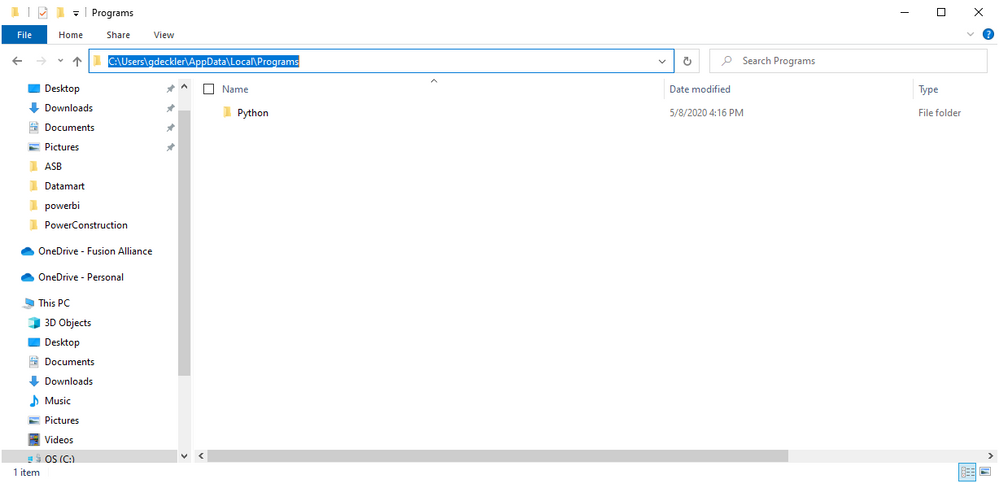
Just open File Manager and paste this into the bar, just single backslashes
C:\Users\gdeckler\AppData\Local\Programs

image.png


Follow on LinkedIn
@ me in replies or I'll lose your thread!!!
Instead of a Kudo, please vote for this idea
Become an expert!: Enterprise DNA
External Tools: MSHGQM
YouTube Channel!: Microsoft Hates Greg
Latest book!:
DAX For Humans

DAX is easy, CALCULATE makes DAX hard...

I got it working, the issue was that i am using a remote desktop and had to ensure matplotlib and numpy were installed using a command window in the remore desktop.  it works now

numpy


Follow on LinkedIn
@ me in replies or I'll lose your thread!!!
Instead of a Kudo, please vote for this idea
Become an expert!: Enterprise DNA
External Tools: MSHGQM
YouTube Channel!: Microsoft Hates Greg
Latest book!:
DAX For Humans

DAX is easy, CALCULATE makes DAX hard...

Helpful resources

Announcements
Join our Fabric User Panel

Join our Fabric User Panel

Share feedback directly with Fabric product managers, participate in targeted research studies and influence the Fabric roadmap.

February Power BI Update Carousel

Power BI Monthly Update - February 2026

Check out the February 2026 Power BI update to learn about new features.

FabCon Atlanta 2026 carousel

FabCon Atlanta 2026

Join us at FabCon Atlanta, March 16-20, for the ultimate Fabric, Power BI, AI and SQL community-led event. Save $200 with code FABCOMM.