FabCon is coming to Atlanta
Join us at FabCon Atlanta from March 16 - 20, 2026, for the ultimate Fabric, Power BI, AI and SQL community-led event. Save $200 with code FABCOMM.
Register now!- Power BI forums
- Get Help with Power BI
- Desktop
- Service
- Report Server
- Power Query
- Mobile Apps
- Developer
- DAX Commands and Tips
- Custom Visuals Development Discussion
- Health and Life Sciences
- Power BI Spanish forums
- Translated Spanish Desktop
- Training and Consulting
- Instructor Led Training
- Dashboard in a Day for Women, by Women
- Galleries
- Data Stories Gallery
- Themes Gallery
- Contests Gallery
- QuickViz Gallery
- Quick Measures Gallery
- Visual Calculations Gallery
- Notebook Gallery
- Translytical Task Flow Gallery
- TMDL Gallery
- R Script Showcase
- Webinars and Video Gallery
- Ideas
- Custom Visuals Ideas (read-only)
- Issues
- Issues
- Events
- Upcoming Events
The Power BI Data Visualization World Championships is back! Get ahead of the game and start preparing now! Learn more
- Power BI forums
- Forums
- Get Help with Power BI
- Desktop
- Re: Connecting to a Data set and not being able to...
- Subscribe to RSS Feed
- Mark Topic as New
- Mark Topic as Read
- Float this Topic for Current User
- Bookmark
- Subscribe
- Printer Friendly Page


- Mark as New
- Bookmark
- Subscribe
- Mute
- Subscribe to RSS Feed
- Permalink
- Report Inappropriate Content
Connecting to a Data set and not being able to see the data model
Ive created a data set and people are using it to work with
However they only get the report view and I dont understand it
Even if you are just using the data, that data model allows you to understand whats going on. Surely people should at least be able to view the data model so they get a feel for what they can do.
Im having to take a screen shot and email it out to people so they get an understanding of the fact table and dimensions and it just seems a bit silly and avoidable.
Solved! Go to Solution.
- Mark as New
- Bookmark
- Subscribe
- Mute
- Subscribe to RSS Feed
- Permalink
- Report Inappropriate Content
Hi @DebbieE ,
Pls update your desktop to the latest version(Version: 2.82.5858.441 64-bit (June 2020)) and you will see the model view.
Kelly

- Mark as New
- Bookmark
- Subscribe
- Mute
- Subscribe to RSS Feed
- Permalink
- Report Inappropriate Content
Hi @DebbieE ,
Have you granted access to the users of the reports?How do you share the reports?
Here are references:https://docs.microsoft.com/en-us/power-bi/collaborate-share/service-share-dashboards
https://docs.microsoft.com/en-us/power-bi/collaborate-share/service-share-reports
Best Regards,
Kelly
- Mark as New
- Bookmark
- Subscribe
- Mute
- Subscribe to RSS Feed
- Permalink
- Report Inappropriate Content
Hi, Thanks for the links but Im not sure you have really understood my initial post
- Mark as New
- Bookmark
- Subscribe
- Mute
- Subscribe to RSS Feed
- Permalink
- Report Inappropriate Content
Hi @DebbieE ,
Pls update your desktop to the latest version(Version: 2.82.5858.441 64-bit (June 2020)) and you will see the model view.
Kelly


- Mark as New
- Bookmark
- Subscribe
- Mute
- Subscribe to RSS Feed
- Permalink
- Report Inappropriate Content
@DebbieE ,The information you have provided is not making the problem clear to me. Can you please explain with an example.
Appreciate your Kudos.

- Mark as New
- Bookmark
- Subscribe
- Mute
- Subscribe to RSS Feed
- Permalink
- Report Inappropriate Content
You can refer to below blog for more details on the dataset sharing and using shared dataset. I hope it will guide you in right direction.
https://radacad.com/power-bi-shared-datasets-what-is-it-how-does-it-work-and-why-should-you-care
Did I answer your question? Mark my post as a solution!
Appreciate your Kudos
Proud to be a Super User!
Follow me on linkedin
- Mark as New
- Bookmark
- Subscribe
- Mute
- Subscribe to RSS Feed
- Permalink
- Report Inappropriate Content
Thats an interesting post but it doesnt answer my problem with it which is this....
When you connect to the data set in Power BI Desktop you see this
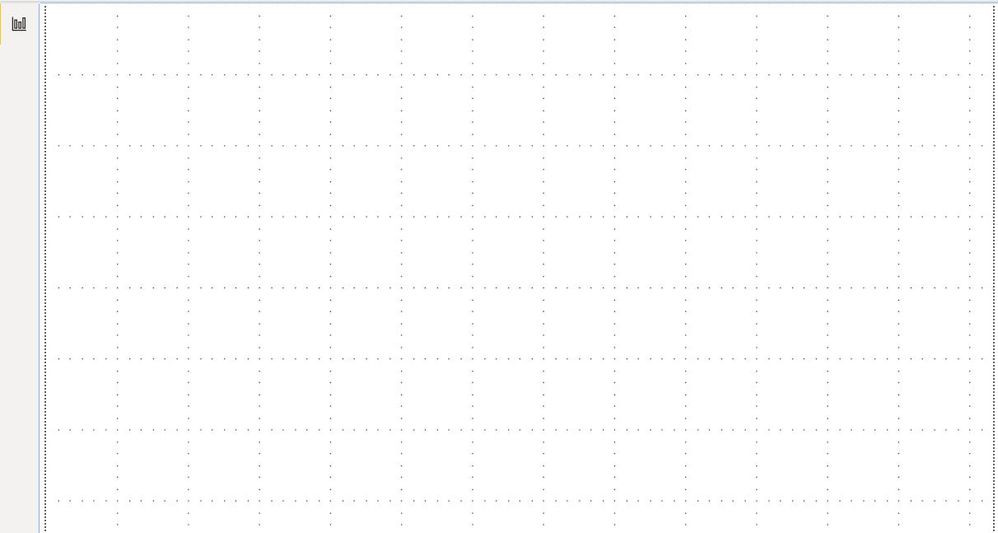
Only the report View. No Model view
Just because you are in working on a deskset to create visuals doesnt mean that its not important to be able to click on the model button to view the model.
Like I said above. Im having to screenshot the model to send to everyone so they have it to look at which is a bit ridiculous. The model is important. It shows how everything connects. Unfortunately my users are now dissapointed about connecting to a dataset because they dont get to at least see the model. It makes it less usable
Helpful resources

Power BI Monthly Update - November 2025
Check out the November 2025 Power BI update to learn about new features.

Fabric Data Days
Advance your Data & AI career with 50 days of live learning, contests, hands-on challenges, study groups & certifications and more!

FabCon Atlanta 2026
Join us at FabCon Atlanta, March 16-20, for the ultimate Fabric, Power BI, AI and SQL community-led event. Save $200 with code FABCOMM.


