Join us at FabCon Atlanta from March 16 - 20, 2026, for the ultimate Fabric, Power BI, AI and SQL community-led event. Save $200 with code FABCOMM.
Register now!Learn from the best! Meet the four finalists headed to the FINALS of the Power BI Dataviz World Championships! Register now
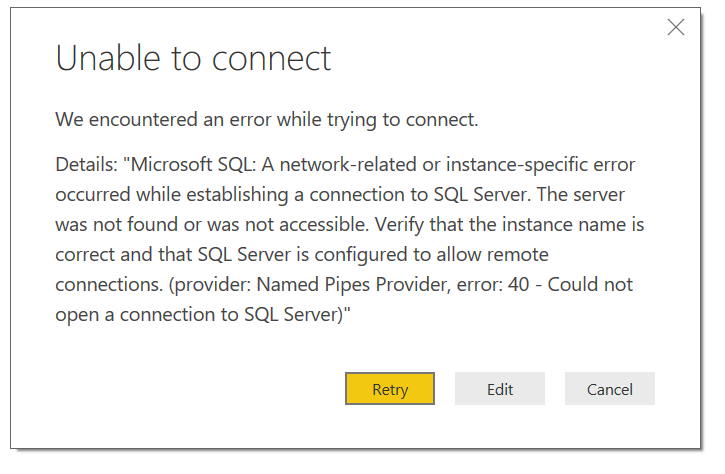
I'm unable to connect to Azure SQL database with below error message, any1 know what's that means?
@Anonymous
Make sure your input correct server name. You can also try to connect SQL Azure via SSMS. If it also fails, please check the Azure firewall configuration as @Greg_Deckler suggested.
Regards,
I have a similar / identical issue:
Details: "Microsoft SQL: A network-related or instance-specific error occurred while establishing a connection to SQL Server. The server was not found or was not accessible. Verify that the instance name is correct and that SQL Server is configured to allow remote connections. (provider: TCP Provider, error: 0 - No such host is known.)"
Details: "An error happened while reading data from the provider: 'System.IO.FileLoadException"
I am able to connect to my Azure SQL Database from SSMS, so the firewall ports are configured as expected. Exhausted my options - Please help.
I would guess firewall rule for Azure SQL DB needs configured:
https://community.powerbi.com/t5/Desktop/Can-t-connect-to-Azure-Database/td-p/7761
Share feedback directly with Fabric product managers, participate in targeted research studies and influence the Fabric roadmap.
Check out the February 2026 Power BI update to learn about new features.
| User | Count |
|---|---|
| 68 | |
| 61 | |
| 45 | |
| 19 | |
| 15 |
| User | Count |
|---|---|
| 109 | |
| 108 | |
| 39 | |
| 30 | |
| 27 |